WebWhizz Blog -
Expert Digital Insights.
Expert thoughts on design, technology, and digital growth strategies. No fluff, just value.
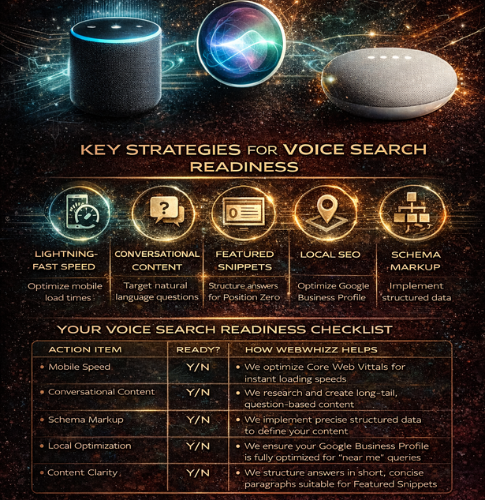
Voice Search Readiness
Is your website “readable” by Alexa and Siri? We live in a world where talking to our devices is as common as typing on them. From checking the weather on your smart speaker to navigating your commute using a voice assistant, conversational technology has fundamentally changed how we search for information. But for businesses, this shift presents a massive question: Is your website optimized for the way people actually speak? If your site isn't ready for natural, conversational queries, you are already missing out on a significant and growing percentage of traffic, visibility, and potential customers. At webwhizz, we specialize in ensuring your digital presence is not just visible, but audible. This comprehensive guide breaks down exactly what voice search readiness means in 2024 and how our specialized services can bridge the gap between your website and the smart speakers in your customers’ homes. The New Conversation: Why Voice Search Matters Now Voice search is not a futuristic concept; it is the current reality. Unlike traditional desktop queries, which are often short, choppy, and keyword-focused ("best accountant NYC"), voice searches are typically longer, structured as full sentences, and centered around a direct question ("Hey Siri, who is the best accountant near me who specializes in small business tax?"). This distinction is crucial for one main reason: Voice assistants almost always provide only one result. When a user types a query, they receive ten blue links. When they speak a query, the assistant (whether it’s Alexa, Siri, or Google Assistant) pulls one definitive answer, often sourced from Google’s Featured Snippet or Position Zero. If your content isn't structured to win that single coveted spot, you become invisible to the voice revolution. The 5 Pillars of Voice Search Readiness Achieving voice search readiness requires a holistic approach that merges technical excellence with human-centric content strategy. Here are the five critical areas WebWhizz focuses on: 1. Speed is King (The Technical Foundation) When we talk about voice search, speed isn't a luxury; it's a requirement. Voice assistants prioritize websites that load instantly because users expect immediate answers. A delay of even one second can cause the assistant to drop your site and move to a faster competitor. Technical Checks Required for Voice: · Mobile-First Indexing: Since most voice searches originate from mobile devices (smartphones) or devices with high sensitivity to speed (smart speakers), your site must be fully optimized for mobile. · Core Web Vitals: We analyze and optimize key performance metrics like Largest Contentful Paint (LCP) and First Input Delay (FID) to ensure a lightning-fast user experience. If your site feels sluggish, it won’t cut it for voice. Our Technical SEO Audit services are designed to rebuild your foundation for peak performance. 2. Mastering Conversational Keywords (The Content Shift) The language we use when speaking differs significantly from the language we use when typing. Voice search demands a shift from focusing solely on head terms to prioritizing long-tail, natural language queries. You must anticipate the questions your audience asks out loud. | Typing Query | Voice Search Query | | :--- | :--- | | web design costs | How much does a professional website cost? | | 24-hour plumber | Is there a 24-hour plumber available right now? | Our webwhizz content team dives deep into intent analysis, structuring content that directly answers these spoken questions using the 'who,' 'what,' 'where,' and 'how' framework. We build comprehensive FAQ sections and conversational content hubs that perfectly align with spoken user intent. Learn how to talk directly to your audience’s smart speakers with our Content Marketing and Strategy services. 3. Claiming the Featured Snippet (Position Zero) The Featured Snippet (or "Answer Box") is the short, highly relevant piece of text Google places at the very top of search results. In voice search, this snippet is almost always the chosen answer read back to the user. To win this coveted "Position Zero," content must be: Concise and Direct: Answer the question immediately (in 40–60 words). Structured: Use clear headings (H2, H3), numbered lists, and tables to organize information, making it easy for the search engine to extract. Authoritative: Demonstrate clear expertise on the topic. 4. The Local Search Imperative A vast percentage of voice searches have local intent, often driven by users on the go: "Alexa, find a coffee shop near me that's open." If your business relies on foot traffic or servicing a local area, your Local SEO must be flawless for voice readiness. This involves far more than just having the right city in your title tag. Key actions we take: Google Business Profile (GBP) Optimization: Ensuring your name, address, and phone number (NAP) are 100% accurate across the web. This is the primary data source for "near me" voice queries. Geo-specific Keyword Strategy: Optimizing content for hyper-local terms and neighborhood names. Consistency: Ensuring your hours, services, and location information are identical across every digital directory. Make sure local voice assistants guide customers straight to your door. Explore our specialized Local SEO services. 5. Speaking the Language of Robots (Schema Markup) While conversational keywords help humans understand your site, Schema Markup (Structured Data) helps search engine crawlers and voice assistants understand the context of your information. Think of Schema as the universal translator of the internet. By adding invisible code to your website, you can tell Siri exactly what type of content you have: "This is a recipe." "This is our business’s official phone number." "This is a review rating." "This is a Frequently Asked Question (FAQ)." Implementing the correct Schema is critical for voice, especially FAQ Schema and LocalBusiness Schema, as it dramatically increases the chance that your content will be extracted and read aloud accurately by an AI assistant. Your Voice Search Readiness Checklist Are you hitting the necessary markers to be heard by Alexa and Siri? | Action Item | Ready? | How WebWhizz Helps | | :--- | :--- | :--- | | Mobile Speed | Y/N | We optimize Core Web Vitals for instant loading speeds. | | Conversational Content | Y/N | We research and create long-tail, question-based content. | | Schema Markup | Y/N | We implement precise structured data to define your content. | | Local Optimization | Y/N | We ensure your Google Business Profile is fully optimized for "near me" queries. | | Content Clarity | Y/N | We structure answers in short, concise paragraphs suitable for Featured Snippets. | Don't Whisper, Be Heard: Partnering with webwhizz Voice search is not the future of SEO—it is the present. Ignoring the shift toward conversational search means willingly handing market share over to competitors who are optimized for the way people actually engage with technology. At webwhizzservices.com, our mission is to future-proof your digital strategy. We don't just chase algorithms; we optimize for human behavior, ensuring your business is ready to answer when the next voice query is spoken. Ready to make your website audible to millions of smart device users? Contact webwhizz today and let us help you achieve true Voice Search Readiness.
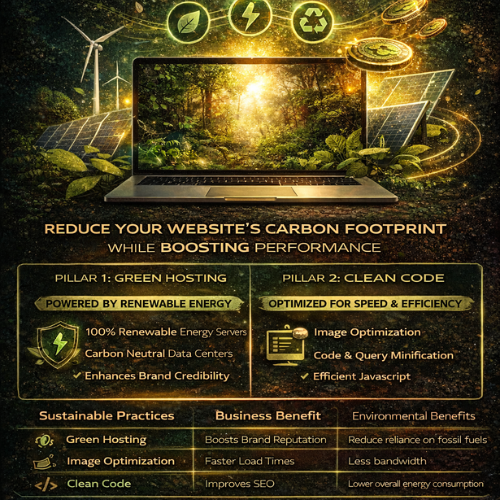
Sustainability in Web Design How Green Hosting and Clean Code Reduce Your Brand’s Carbon Footprint
The internet is where modern business lives, yet few businesses consider the environmental cost of their digital presence. Every click, every image load, and every server request consumes energy—a surprising amount of energy. At webwhizz, we believe that exceptional web design must also be responsible web design. We are dedicated to building digital experiences that not only perform flawlessly but also respect the planet. If you are committed to corporate social responsibility (CSR), optimizing your website for sustainability is the most powerful digital action your brand can take. This guide explores the two critical pillars of eco-friendly web development: Green Hosting and Clean Code. The Hidden Carbon Footprint of the Digital World Before we dive into solutions, let’s address the scale of the problem. The global network of data centers, transmission networks, and end-user devices currently uses more electricity than entire nations. Research estimates that the ICT sector is responsible for roughly 3.7% of global greenhouse gas emissions—a figure comparable to the entire aviation industry. Why is this footprint so large? Always-On Servers: Data centers run 24/7, requiring massive amounts of energy for computing and, critically, for cooling. Data Transfer: Every byte of data transferred across the internet requires energy. Bloated websites require more data to download, placing higher strain on global networks. End-User Strain: Inefficient code forces user devices (laptops, phones) to work harder, draining batteries faster and consuming more household electricity. For brands committed to sustainability, this digital pollution presents a significant blind spot. Fortunately, the solutions are accessible and highly beneficial for your bottom line. Pillar 1: Choosing Green Hosting (The Infrastructure Solution) The single greatest immediate impact you can make on your website’s footprint is ensuring the physical servers housing your data are powered sustainably. This is where Green Hosting comes in. What is Green Hosting? Traditional data centers rely heavily on fossil fuels. Green Hosting providers actively counteract this by committing to one of two practices (or both): Renewable Energy Sources: The provider physically purchases electricity generated from wind, solar, or hydro power to run their data centers. Carbon Offsetting: The provider invests in certified renewable energy credits (RECs) or verified carbon reduction projects (e.g., reforestation) equivalent to the amount of energy they consume. Switching to a provider that uses 100% renewable energy ensures that your brand’s digital home is ethically sourced. Why Green Hosting Matters for Your Brand Identity In today’s market, consumers are increasingly choosing brands based on shared values. Simply stating that your brand is eco-friendly isn't enough; you must demonstrate it through verifiable action. By opting for Green Hosting, you achieve several key advantages: Authentic CSR: You close the loop between your physical environmental practices and your digital presence. Marketing Advantage: You gain a verifiable, quantifiable claim that can be proudly displayed on your website and in annual sustainability reports. Future-Proofing: You align your infrastructure with global regulatory trends prioritizing renewable energy adoption. Our Services: At WebWhizz, we partner exclusively with certified, high-performance Green Hosting providers. We integrate sustainable hosting setup directly into our web development packages, ensuring your site is green from day one. Learn more about our hosting services at webwhizzservices.com. Pillar 2: The Power of Clean Code and Efficient Design (The Optimization Solution) Green Hosting addresses the "where" (the server power), but Clean Code addresses the "how much" (the data transfer required). Efficient, streamlined code and minimalist design dramatically reduce the amount of energy needed to load, process, and display your website. When a website is lighter and faster, it uses less energy across the entire network chain—from the server to the user's mobile processor. 1. Streamlining the Codebase (The Backend & Infrastructure) Sustainable development starts behind the scenes. Our focus at WebWhizz is on maximizing efficiency and minimizing waste. Code Minification: Removing unnecessary characters, comments, and whitespace from HTML, CSS, and JavaScript files reduces file size without altering functionality. Smaller files mean faster transfer times and less server processing. Efficient Database Queries: Slow, poorly optimized database queries consume significant server resources. We engineer lean databases and optimize APIs to fetch only the necessary data, speeding up load times and reducing server strain. Choosing Efficient Frameworks: Selecting lightweight, modern frameworks over bloated, legacy systems ensures that the core structure of your site is designed for performance and speed. 2. Prioritizing Performance Over Bloat (The Frontend) The most significant energy drain on the frontend comes from unoptimized media and excessive scripting. A. Smart Image and Media Handling Images are often the heaviest elements on a webpage. Reducing their load is crucial for sustainability: Next-Gen Formats: Using modern image formats like WebP or AVIF results in the same quality image at a fraction of the size compared to JPEG or PNG. Lazy Loading: Images and videos only load when the user scrolls them into view, dramatically reducing the initial data transfer required for the first page view. Responsive Images: Serving different image resolutions based on the user's screen size (e.g., a small image for mobile, a larger one for desktop). B. JavaScript Control Excessive third-party scripts (trackers, marketing tools, analytics) are notorious for slowing down sites. Audit and Prune: Regularly auditing and eliminating redundant or inefficient third-party scripts. Deferring Non-Critical JS: Ensuring non-essential JavaScript loads after the main content is visible, improving perceived performance and minimizing the initial energy spike. C. Typography and Color Even seemingly small design choices impact data usage: System Fonts: Using system fonts rather than loading custom web fonts eliminates the need to download large font files. Dark Mode (Optional): For users accessing sites on OLED or AMOLED screens (common on smartphones), displaying darker colors requires less energy than displaying bright white light. Our Services: We specialize in high-performance web development. Our clean code philosophy ensures your site achieves top-tier scores on Core Web Vitals, a crucial component of both SEO and sustainability. Let us conduct a comprehensive performance audit for your existing site: webwhizzservices.com/services. The Sustainable ROI: Sustainability Equals Superior Performance The remarkable truth about sustainable web design is that minimizing your carbon footprint is perfectly aligned with maximizing your business performance. The most eco-friendly website is also the fastest and most accessible website. | Sustainable Practice | Business Benefit | Environmental Benefit | | :--- | :--- | :--- | | Green Hosting | Brand credibility and ethical alignment. | Reduces reliance on fossil fuels. | | Code Minification | Faster loading times; better Google ranking. | Less data transferred; less server energy consumption. | | Image Optimization | Improved user experience; reduced bounce rates. | Less bandwidth used on the network. | | Optimized Database | Lower hosting costs; increased server efficiency. | Reduced 24/7 power consumption in data centers. | Search Engine Optimization (SEO): Google explicitly favors fast, responsive websites. By optimizing for sustainability (speed), you are automatically optimizing for better visibility in search rankings. A sustainable site is an authoritative site. Conclusion: Build Your Future Responsibly with WebWhizz The digital future is not just fast; it must be green. Sustainability in web design is no longer an optional add-on—it is a fundamental responsibility for modern businesses seeking both ethical alignment and peak operational performance. By pairing certified Green Hosting with expertly optimized clean code, you drastically reduce your brand's environmental impact while delivering a superior experience to your users. Ready to transform your website into a powerful, high-performance, and sustainable asset? Contact WebWhizz today to discuss how our Green Hosting and clean development services can future-proof your digital presence and cement your brand as a leader in responsible technology. Start your sustainable journey now: webwhizzservices.com
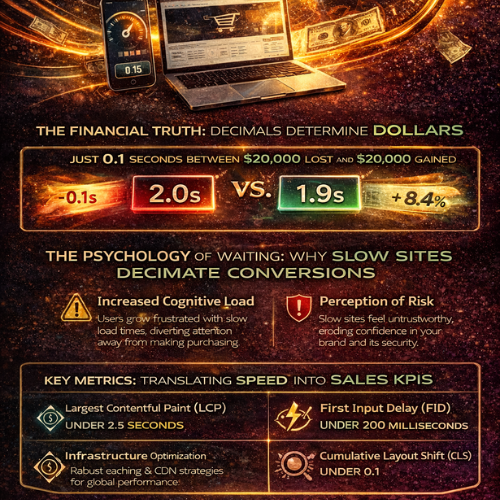
Speed as a Sales Metric The Financial Impact of Every 0.1 Seconds
In the digital world, speed isn't a luxury; it's the fundamental currency of customer experience. For too long, website performance has been relegated to the IT department—a technical detail managed by developers. But if you own an e-commerce platform or a lead-generation site, it’s time to reclassify speed. Speed is not a feature. It is a sales metric. At WebWhizz, we understand that microseconds translate directly into thousands of dollars in revenue. If you want to outperform your competitors, you must stop viewing load time as a technical challenge and start viewing it as the single most critical bottleneck to your conversion rate. This deep dive will show you precisely how every fraction of a second impacts your bottom line, and how optimizing that speed is the most powerful investment you can make in your business growth. The Financial Truth: Decimals Determine Dollars The difference between a 2.0-second load time and a 1.9-second load time may seem negligible to the untrained eye, but it is catastrophic in the conversion funnel. Modern internet users are fiercely impatient. They demand instant gratification, and if your site doesn't deliver, they don't give you a second chance—they click the "back" button. The 0.1 Second Effect: Quantifying the Loss Research conducted by industry leaders like Google, Akamai, and Amazon has unequivocally proven a direct, linear relationship between load time and business results. Consider these sobering facts based on aggregated industry data: For every 1-second delay in mobile load time, conversions can drop by an average of 20%. The first 5 seconds of page load time have the highest impact on conversion rates. As load time increases from 1 second to 5 seconds, the probability of a bounce increases by 90%. A mere 0.1-second improvement in load time can boost critical sales metrics: Mobile conversion rates can increase by up to 8.4%. Average Order Value (AOV) can improve by nearly 2%. Bounce rates can decrease significantly, freeing up your marketing budget to work harder. If your site loads in 3.5 seconds and generates $50,000 in monthly revenue, speeding it up by just one second could realistically increase your revenue by $5,000 to $10,000 without acquiring a single new lead. Speed optimization is simply conversion rate optimization (CRO) by another name. Why Slow Sites Decimate Conversions: The Psychology of Waiting To understand the sales metric of speed, we must first understand the psychological process that causes a high bounce rate. The Impatience Economy We live in an "Impatience Economy." User expectations are set by giants like Netflix, Amazon, and Google, which deliver lightning-fast experiences. When your site doesn't match this benchmark, users subconsciously penalize you. The moment a loading spinner appears, two negative processes begin: Increased Cognitive Load: The user is forced to wait, diverting their mental energy from evaluating your product/service to monitoring the load time. This frustration poisons the intent to purchase or inquire. Perception of Risk: A slow, clunky website often translates in the user's mind to an outdated, unprofessional, or potentially insecure operation. This erosion of trust is fatal for conversions, especially in e-commerce where credit card information is exchanged. The Cost of Abandonment Every time a user abandons your site due to slow loading, it represents more than just a missed sale—it represents wasted investment: Wasted Marketing Spend: You paid for that click (PPC, social media ads, SEO efforts). If the user leaves before seeing your value proposition, your Cost Per Acquisition (CPA) skyrockets. Negative Brand Association: Slow speeds create a negative impression that is difficult to reverse, potentially damaging long-term customer lifetime value (CLV). SEO Penalty: Google uses site speed and user experience metrics (like bounce rate and time on site) as critical ranking factors. A slow site gets demoted, leading to fewer organic leads and compounding the sales loss. Key Metrics: Translating Speed into Sales KPIs To effectively manage speed as a sales metric, you must look beyond generalized "load time" and focus on the technical performance indicators that Google defines as user experience benchmarks—Core Web Vitals (CWV). These metrics are directly correlated with revenue performance: 1. Largest Contentful Paint (LCP) LCP measures when the main content of the page has loaded and is visible to the user. This is the moment the user can actually see your product image, headline, or call-to-action (CTA). The Sales Link: If your LCP is poor (e.g., over 2.5 seconds), the user hasn't even had the chance to process your offer. Optimizing LCP means minimizing the time between the click and the sales pitch being delivered. Goal: Maintain an LCP under 2.5 seconds. 2. First Input Delay (FID) / Interaction to Next Paint (INP) FID measures the responsiveness of your site—the time it takes for the browser to respond to a user’s first interaction (like clicking a button, tapping a navigation link, or filling a form field). (Note: FID is being replaced by INP, which measures overall responsiveness.) The Sales Link: A high FID/INP means that the CTA button the user just clicked seems non-responsive. This introduces friction right at the moment of conversion (checkout, sign-up, submission), often leading to frustrated double-clicks or abandonment. Goal: Maintain an INP under 200 milliseconds. 3. Cumulative Layout Shift (CLS) CLS measures visual stability—how often elements on the page shift unexpectedly while loading. (Think of clicking a button, only to have an ad load and push that button out of the way.) The Sales Link: High CLS destroys user confidence and leads to misclicks, forcing users to start the process over. This is a massive conversion killer, particularly on mobile checkouts. Goal: Maintain a CLS score under 0.1. Turning the Tables: How WebWhizz Maximizes Speed and Sales Recognizing speed as a sales metric is the first step; taking action is the second. Many businesses try quick fixes (like image compression) but fail to address the underlying architectural issues. At WebWhizz, our services are specifically designed to treat speed as the fundamental driver of conversion rate optimization. We don't just compress files; we architect performance into the core of your digital platform. Our Strategy for Maximizing Your Speed ROI Deep Dive Diagnostics: We analyze your existing code, server architecture, and third-party scripts to pinpoint. Infrastructure Scaling & Optimization: We ensure your hosting environment is tailored for performance, implementing robust caching strategies and content delivery networks (CDNs) to reduce latency globally. Critical Path Optimization: We prioritize the loading of crucial elements (LCP content) over non-essential scripts, ensuring the user sees and can interact with your value proposition instantly. Code & Database Refinement: Our experts clean up bloated CSS/JavaScript and optimize database queries, drastically improving response times—the key ingredient for high FID/INP scores. Are you ready to stop losing sales to poor performance? Let us help you turn those costly tenths of a second into profit. Learn more about our comprehensive speed optimization and web development services designed for maximum conversion by visiting WebWhizz Services. Conclusion: Stop Waiting and Start Converting The relationship between speed and sales is no longer a theory; it is a proven law of the digital economy. Every 0.1 seconds your site stalls is time your competitor uses to capture your potential customer. If you are pouring resources into marketing—PPC, SEO, and content creation—but ignoring site speed, you are effectively drilling holes in the bottom of your sales bucket. Speed optimization is the most efficient and scalable investment you can make, offering immediate and measurable improvements to your conversion rates, average order value, and overall revenue. Treat speed like the valuable sales metric it is, and your website will finally deliver the performance—and profit—you’ve been aiming for.
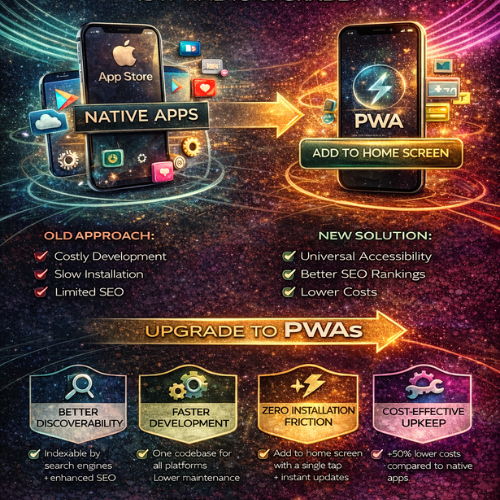
PWAs Why Your Business Needs a Progressive Web App Instead of a Traditional Mobile App
The digital landscape has changed. Once, the mark of a serious business was having a dedicated, native mobile app that lived exclusively in the App Store or Google Play. But today, that approach often leads to excessive costs, fragmented user bases, and development headaches. At WebWhizz, we understand that businesses need solutions that are fast, cost-effective, and universally accessible. This is where the Progressive Web App (PWA) steps in—a game-changing technology that delivers the best of the web with the functionality of a native application. If you’re evaluating whether your next digital project should be an expensive, standalone mobile app or a modern, unified web experience, this guide is for you. The Modern Mobile Dilemma: User Friction and Cost Before we dive into PWAs, let’s acknowledge the pain points businesses face with traditional native apps: High Development Cost: You need separate teams (or developers) for iOS and Android, managing two distinct codebases. The Store Barrier: Users must find your app, download it (often abandoning the process), sign in, and then grant permissions. Every step is a chance for abandonment. Maintenance Nightmares: Updating two codebases, constantly adhering to shifting store policies, and ensuring compatibility with every new operating system version is expensive and time-consuming. PWAs solve this dilemma by eliminating the barrier between the web and the installed application. What Exactly is a Progressive Web App? A Progressive Web App is simply a website built using modern web technologies that offers capabilities traditionally reserved for native applications. It is not an application wrapper; it is the evolution of the mobile website. The defining characteristic of a PWA is its ability to progress from a standard website to a powerful, installable application right in the user’s browser. The Essential Pillars of a PWA Experience PWAs combine cutting-edge browser features to deliver reliability and speed. At WebWhizz, when we build a PWA, we ensure it adheres to these core principles: 1. Installability (The App Shortcut) A user can "install" the PWA directly onto their device's home screen or desktop without visiting an app store. Once installed, it runs in its own window, separate from the browser interface, feeling exactly like a standard app. 2. Offline Capability (Service Workers) This is the "magic" behind the PWA. Using Service Workers (scripts that run in the background), a PWA can cache essential data. If a user loses connectivity, they can still browse critical sections, view product data, or even complete forms—ensuring reliable performance regardless of network conditions. 3. Push Notifications A crucial tool for engagement. PWAs can send timely, targeted notifications to users, even when the app is closed, helping drive repeat traffic and improve customer retention—a massive advantage over standard mobile websites. 4. Responsiveness and Security By definition, a PWA must be built using HTTPS (ensuring security and data integrity) and must be fully responsive, adapting seamlessly to any screen size, from a small phone to a large desktop monitor. The WebWhizz Advantage: Why PWAs are a Smart Business Investment When businesses partner with WebWhizz (webwhizzservices.com), they are looking for scalable solutions that maximize ROI. Here is why we champion the PWA approach for most modern digital projects: 1. Superior Discoverability and SEO Advantage A native app is trapped inside proprietary app stores, relying on store search algorithms. A PWA, however, is simply a website. Indexable by Search Engines: Every page, product, and service within your PWA is fully crawlable by Google and other search engines. This makes your content immediately discoverable, turning your app into an SEO powerhouse. Direct Sharing: Need to share a product page? You share a URL, not a download link. This natural link sharing vastly increases viral reach. For a detailed look at how we structure websites for maximum search visibility, visit our Web Development Services Page. 2. Streamlined Development and Lower Cost One of the biggest financial benefits of PWAs is the unified codebase. Instead of needing separate teams to maintain code for iOS, Android, and the web, WebWhizz develops a single, modern codebase using technologies like React or Angular. This singular focus results in: Faster Time-to-Market: Launching your product takes significantly less time since you aren't duplicating effort across platforms. Reduced Maintenance Overhead: Updating your application only requires updating one set of code, cutting long-term maintenance costs by up to 50%. 3. Zero Friction Installation Friction kills conversion. The journey for a native app user looks like this: · User sees link → Redirected to App Store → Waits for download → Installs → Finds icon → Launches app. The PWA journey is instant: · User visits site → Prompted to "Add to Home Screen" → Installed instantly. This frictionless process drastically increases the rate at which visitors convert into dedicated, installed users. Studies show that reduced friction leads to higher engagement and significantly improved conversions. 4. Effortless Updates Native apps require users to manually approve and download updates, sometimes forcing them to wait minutes before they can use the new version. With a PWA, updates are silent, instant, and automatic. Because the app loads directly from the web, the user is always running the latest version the moment they open it. When Should Your Business Choose a PWA? If your goal is high engagement, low development cost, and maximum cross-platform reach, a PWA is the ideal choice. They are particularly effective for: | Business Need | PWA Solution | | :--- | :--- | | E-commerce & Retail | Provides fast loading times (crucial for checkout conversion) and offline browsing of catalogs. | | Content Publishers | Ensures quick article loading, push notifications for breaking news, and reliability in low-connectivity areas. | | Internal Tools & SaaS | Offers cross-device compatibility for employees and eliminates the need for IT management of proprietary store accounts. | | Small Businesses & Startups | Lowers the initial barrier to entry, allowing rapid deployment without the hefty native app budget. | While a true native app may still be necessary for highly specialized use cases (like augmented reality or deep hardware integration), for 9 out of 10 businesses, the PWA provides all the necessary functionality with superior ROI. Taking the Next Step with WebWhizz The future of mobile is unified, fast, and accessible. PWAs represent a pivotal shift away from siloed applications and toward powerful, reliable web experiences. If your business is ready to ditch the complexity of managing multiple app stores and embrace a single, high-performing digital product, we are ready to guide you. At WebWhizz, we specialize in migrating traditional websites into robust PWAs, optimizing your existing infrastructure, and building scalable web applications from the ground up. Ready to discuss how a PWA can revolutionize your customer engagement and cut your development costs? Contact the WebWhizz team today for a comprehensive consultation.
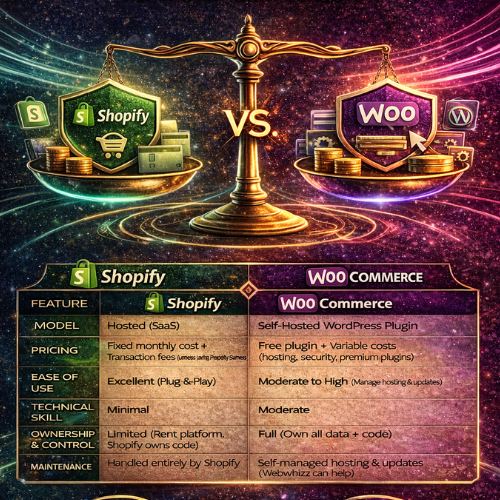
Shopify vs. WooCommerce Choosing the Right Engine for Your E-commerce Success
Launching an online store is exhilarating, but before you can start packing orders, you face the biggest decision: selecting the right platform. The e-commerce landscape is dominated by two giants, each offering a distinct path to digital success: Shopify and WooCommerce. The question isn't which platform is objectively "better," but which is the best fit for your unique vision, budget, and technical comfort level. At Webwhizz, we understand that this choice can be daunting. We specialize in building and optimizing professional e-commerce solutions, whether you prefer the managed ease of Shopify or the robust flexibility of WooCommerce. Our goal is to empower you with the facts so you can choose the engine that will truly propel your business forward. Let’s dive into a comprehensive comparison of Shopify and WooCommerce. A Snapshot Comparison For those short on time, here is a quick overview of the core differences between the two platforms: | Feature | Shopify | WooCommerce | | :--- | :--- | :--- | | Model | Hosted (SaaS – Software as a Service) | Self-Hosted (Open Source WordPress Plugin) | | Pricing | Fixed monthly subscription + Transaction fees (unless using Shopify Payments) | Free plugin + Variable costs (Hosting, Security, Premium Themes/Plugins) | | Ease of Use | Excellent. True plug-and-play setup. | Moderate to High. Requires management of hosting and software updates. | | Technical Skill | Minimal to none. | Moderate (Requires familiarity with WordPress and web hosting). | | Ownership/Control | Limited. You rent the software and platform. | Full. You own all your data and code. | | Maintenance | Handled entirely by Shopify. | Handled entirely by the store owner or developer (Webwhizz). | Deep Dive: Shopify – The All-in-One Solution Shopify is the reigning champion of simplicity. It operates on a Software-as-a-Service (SaaS) model, meaning it bundles everything you need—hosting, security, updates, and the platform software—into one monthly fee. It is built specifically for e-commerce, making the initial setup incredibly straightforward, often allowing merchants to launch their store in a single day. Pros and Cons of Shopify Shopify Advantages Exceptional User Experience: The dashboard is intuitive, and adding products, managing inventory, and fulfilling orders is streamlined. Zero Maintenance: Shopify handles all technical upkeep, security patches, and server maintenance. You only worry about sales. Integrated Payments (Shopify Payments): Using their proprietary payment system removes external transaction fees (though standard credit card processing fees still apply). Fantastic Support: 24/7 customer support is available via phone, email, and live chat. App Store: A massive ecosystem of well-vetted, paid, and free apps to extend functionality. Shopify Disadvantages Recurring Monthly Costs: The subscription fee is predictable but mandatory, even during slow months. Transaction Fees: If you use a third-party payment gateway (like PayPal or Stripe), Shopify charges an additional 0.5% to 2.0% fee on top of the gateway fee. Limited Deep Customization: While themes are flexible, customization requiring deep code changes can be restricted by Shopify's platform structure. High App Dependency: Essential features often require paid monthly apps, leading to higher recurring costs. Who is Shopify Best For? Shopify is ideal for new merchants, small businesses, and those who prioritize ease of use and speed over technical customization. If you are not technically inclined and want a solution that simply works out of the box, Shopify is the clear winner. Deep Dive: WooCommerce – Flexibility and Ownership WooCommerce is not a standalone platform; it is a free, open-source plugin built for WordPress, the most popular content management system (CMS) in the world. This symbiotic relationship provides unparalleled flexibility and control, as it leverages WordPress’s massive ecosystem. While the plugin itself is free, WooCommerce stores are self-hosted, meaning you are responsible for hosting, security, backups, and maintenance. Pros and Cons of WooCommerce WooCommerce Advantages Total Ownership and Control: You own 100% of your data and code. There are no restrictions on how you modify the platform. Cost-Effective Entry: The plugin is free. Initial costs are limited to hosting, a domain, and potentially a premium theme. Unlimited Customization: Because it is open-source, if you can dream it, a developer (like the experts at Webwhizz) can build it using custom code. No Transaction Fees: You only pay the standard processing fees charged by your chosen payment gateway (e.g., Stripe, PayPal). SEO Power: Built on WordPress, the platform is inherently excellent for Search Engine Optimization. WooCommerce Disadvantages Steeper Learning Curve: Managing hosting, security, updates, and conflicting plugins requires technical proficiency. Hidden Costs: While the plugin is free, costs rapidly accumulate for quality hosting, security features, and essential premium plugins (like advanced shipping or subscriptions). Self-Managed Security: You are responsible for ensuring your site is secure, backed up, and compliant. Support: Support is decentralized. You rely on community forums, the plugin developer, or external development agencies for help. Who is WooCommerce Best For? WooCommerce is the perfect solution for established businesses, developers, large stores with complex needs, and merchants who need deep integration with existing WordPress content. If you have the budget for professional development and maintenance, or have the technical skills in-house, WooCommerce offers limitless scaling potential. Head-to-Head Comparison: The Critical Metrics When making your final choice, these four metrics often decide the winner. 1. Cost and Pricing Structure The biggest pricing difference is predictability versus flexibility. | Cost Factor | Shopify | WooCommerce | | :--- | :--- | :--- | | Monthly Fees | Starts at $29/month. Mandatory, fixed cost. | Free plugin. Cost is determined by hosting (starts low, scales up quickly). | | Transaction Fees | Yes (if not using Shopify Payments). | No (only standard processor fees apply). | | Apps/Plugins | Often monthly subscriptions; generally high quality. | Mix of one-time purchase and monthly subscriptions; requires careful vetting. | | Development | Higher per-hour rate for custom Liquid code adjustments. | Standard developer rates for PHP/WordPress; cheaper for extensive work. | 2. Technical Skill and Maintenance If you hate troubleshooting, hosting, and security protocols, the choice is simple. Shopify: Requires virtually zero technical skill. You click a button, and it works. Maintenance is non-existent for the merchant. WooCommerce: Requires moderate to advanced technical skill. You must manage core WordPress updates, plugin updates, server security, caching, and database optimization. This complexity is why many clients partner with Webwhizz—to outsource the burden of constant maintenance. 3. Scalability Both platforms can handle massive traffic, but they approach scalability differently. Shopify: Excellent scalability. As a hosted solution, they manage the infrastructure automatically. Scaling up simply means upgrading your plan. It is reliable for handling flash sales and seasonal spikes. WooCommerce: Highly scalable, but requires proactive infrastructure management. You must invest in robust, managed hosting (like WP Engine or Kinsta) and potentially a Content Delivery Network (CDN) to ensure performance under heavy load. The potential is limitless, but the infrastructure burden is yours. 4. Customization and Design Customization is often the deciding factor for complex businesses. WooCommerce (WordPress): Unrivaled. Because it is open-source, you can modify any aspect of the front-end design or back-end functionality. If your business model requires complex, unique features (e.g., highly specific product builders, unusual subscription tiers, or specific B2B pricing logic), WooCommerce provides the freedom needed. Shopify: Excellent for design customization through themes and the visual editor. However, deep customization of the checkout process or highly specialized data handling is restricted by Shopify's core code (written in Liquid). The Webwhizz Verdict: How to Choose Your Champion Ultimately, the choice between Shopify and WooCommerce is a strategic business decision based on your long-term goals. Choose Shopify If: You are selling physical products and want to launch fast. Your budget prioritizes predictable operating costs over deep customization. You want an easy-to-use system with guaranteed 24/7 technical support. Choose WooCommerce If: You already use WordPress or need a highly integrated CMS/e-commerce solution. You require highly specific, complex, or bespoke functionality (B2B features, custom product configuration). You prefer owning your platform and data, and you are ready to invest in expert development and maintenance. Let Webwhizz Guide Your Launch Whether you need the streamlined efficiency of a Shopify storefront or the robust, custom-built power of a fully optimized WooCommerce environment, Webwhizz is here to help. We don't just set up templates; we design, develop, and optimize e-commerce platforms that are tailored to convert. From high-speed hosting solutions for WooCommerce to custom theme development on Shopify, we ensure your chosen platform performs flawlessly. To learn more about our development philosophy and how we help businesses thrive online, please check out our About Us page.

Security 101 Essential Steps to Protect Your Customer Data
In the digital world, data is the new currency—and protecting that currency is not just a technical necessity, it's the foundation of customer trust. For any business operating online, the safety of customer information is paramount. A single breach can shatter reputations, incur massive fines, and permanently erode the confidence of your user base. If you are running an e-commerce platform, a SaaS application, or any website that handles sensitive user information, this guide is your starting line. Welcome to Security 101, where we lay out the non-negotiable steps to locking down your digital infrastructure. At Webwhizz, our mission is to ensure your web presence is not only powerful and fast but also relentlessly secure. We believe enterprise-level security should be accessible to everyone. The Foundation: Why Customer Trust Is Your Biggest Asset Security isn't an item on a checklist; it's an ongoing process that defines your brand integrity. When customers submit their payment details, personal identifiable information (PII), or confidential data, they are placing enormous faith in your stewardship. Losing that trust through negligence can be far more damaging than any operational downtime. Strong security practices are, in fact, powerful marketing tools that signal reliability and professionalism. Phase 1: Locking Down the Perimeter (Infrastructure Security) The first line of defense involves securing the environment in which your website operates. 1. Mandatory SSL/TLS Encryption This is the bare minimum requirement for any modern website, particularly those handling logins or transactions. SSL (Secure Sockets Layer) and its successor, TLS (Transport Layer Security), encrypt the data exchanged between the user’s browser and your server. The Visual Cue: Look for the padlock icon in the browser address bar and the https:// prefix. The Function: Encryption ensures that if an attacker intercepts the data (e.g., a credit card number), they only see scrambled, unusable information. Compliance: Many regulatory standards (like PCI-DSS for payments) require strong SSL/TLS protocols. Furthermore, Google Chrome and other browsers actively penalize non-HTTPS sites by marking them as "Not Secure." 2. Implement Robust Web Application Firewalls (WAF) A standard network firewall protects your server from general internet traffic, but a Web Application Firewall (WAF) is designed to inspect HTTP traffic specifically. It sits between the user and your server, filtering out malicious requests before they reach your core application. A WAF helps mitigate common threats such as: · SQL Injection attacks (sending malicious database queries). · Cross-Site Scripting (XSS) attacks. · DDoS (Distributed Denial of Service) attacks that aim to overwhelm your server capacity. 3. Comprehensive and Verified Backup Strategy No security strategy is complete without a solid recovery plan. Security breaches, hardware failures, or even human error can take your site offline. Regular, redundant, and secure backups are your ultimate insurance policy. Frequency: Daily backups are mandatory for sites with frequent user interaction or transaction processing. Redundancy: Store backups in multiple, geographically separate locations (e.g., cloud storage separate from your main server). Verification: Critically, regularly test your recovery process. A backup is useless if you discover during a crisis that the restore function is broken. Phase 2: Protecting Data In Transit and At Rest (Application Security) Infrastructure security locks the door, but application security locks the safe. This involves coding and configuring your website application itself to resist attack. 1. Input Validation and Sanitization The vast majority of website breaches exploit unvalidated user input. Any text field, comment box, or form submission is a potential entry point for an attacker to inject malicious code. Key defenses include: Validation: Ensuring the input matches the expected format (e.g., confirming a phone number field only contains numbers). Sanitization: Cleaning the input by removing potentially dangerous characters or scripts (like <script> tags) before saving the data to your database or displaying it to other users. Parameterized Queries: Using database query mechanisms that separate the SQL command from the user data, effectively blocking SQL Injection attempts. 2. Secure Authentication and Authorization Your login mechanisms are prime targets. Making them robust is crucial for protecting user accounts. Strong Authentication: Multi-Factor Authentication (MFA): Require users to provide two or more verification factors (e.g., a password plus a code sent to their phone). This is the single most effective way to prevent unauthorized access. Password Hashing: Never store plain-text passwords. Use strong, one-way hashing algorithms (like Argon2 or bcrypt) with salt to securely store password equivalents. Strong Authorization: Principle of Least Privilege (PoLP): Users and administrative accounts should only have the minimum access rights necessary to perform their required tasks. This limits the damage an attacker can do if they compromise a low-level account. 3. Practice Data Minimization The best way to prevent the theft of sensitive data is simply not to store it in the first place. This concept, known as data minimization, is a core tenet of GDPR and other modern privacy regulations. Ask Yourself: Do you really need to store the customer's birthdate, full address, or credit card number? Avoid PII Retention: If you are using a third-party payment gateway (like Stripe or PayPal), never store full credit card numbers on your server. Let the payment processor handle that responsibility, using secure tokens instead. Phase 3: The Human Element and Ongoing Maintenance Even the most secure architecture will fail if not maintained and monitored diligently. 1. Regular Software Patching and Updates Outdated software is responsible for a huge percentage of successful attacks. Every time a new version of WordPress, Drupal, Magento, or a server component (like PHP or MySQL) is released, it almost certainly includes vital security patches. Stay Current: Automate minor updates and schedule major version upgrades immediately after they are stable. Third-Party Components: Don't forget plugins, modules, and extensions. These often contain security vulnerabilities that provide backdoors into your system. 2. Consistent Security Auditing and Monitoring You can’t protect what you don’t measure. Security auditing means regularly scanning your site for known vulnerabilities, misconfigurations, and suspicious activity. Vulnerability Scanners: Use automated tools to look for known flaws. Log Monitoring: Pay attention to failed login attempts, unusual traffic spikes, or changes to core files—these are often early indicators of a breach attempt. How Webwhizz Ensures Your Continuous Security The depth and complexity of modern web security can be overwhelming, especially for business owners trying to focus on growth. That’s where the expertise of a trusted partner becomes invaluable. At Webwhizz, we specialize in providing continuous security solutions so you don't have to become a full-time security analyst. We handle the heavy lifting: from provisioning strong WAF services and managing complex authentication protocols to conducting proactive audits and ensuring 24/7 log monitoring. Our team stays ahead of emerging threats, guaranteeing that your infrastructure benefits from the latest patches and best practices. About Us: Webwhizz is dedicated to crafting secure, high-performance digital solutions. We integrate robust security protocols into every layer of your website development and maintenance lifecycle. To learn more about our managed hosting and security services, visit us at webwhizzservices.com. Conclusion: Security Is a Journey, Not a Destination In the rapidly evolving landscape of cyber threats, achieving "perfect security" is impossible, but achieving "resilient security" is absolutely essential. By implementing these Security 101 principles—from securing your perimeter with SSL and WAFs to protecting your application with strong validation and MFA—you dramatically reduce your risk profile and solidify customer trust. Don't wait for a breach to make security a priority. Start today by reviewing your current infrastructure and implementing these essential safeguards. If you need expert assistance in auditing, hardening, and maintaining a bulletproof digital presence, connect with Webwhizz today. We build confidence, one secure connection at a time.
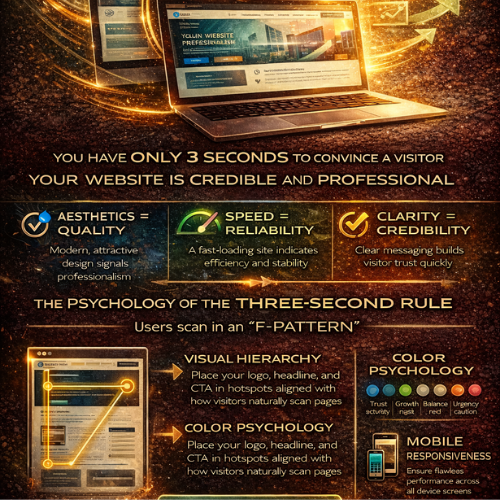
The Power of First Impressions How Your Website Wins Trust in Under Three Seconds
In the digital realm, there are no second chances for a first impression. You might have the most groundbreaking service, the most competitive pricing, or the most dedicated team—but if your website doesn't instantly communicate credibility and quality, your potential customer is already gone. We live in an age of hyper-speed digital interaction. Studies repeatedly show that users form an immediate judgment about a company's professionalism and trustworthiness based solely on visual aesthetics in less than three seconds. At Webwhizz, we don't just build websites; we craft digital first impressions designed to convert skepticism into trust. This post dives deep into the psychology behind the "three-second rule" and reveals exactly how world-class web design acts as your most crucial business asset. The Digital Handshake: Why Three Seconds Is Your Only Window Think about meeting someone for the first time. Before they even speak, you subconsciously process their posture, attire, and confidence level. Your website functions the same way. It is your ultimate digital handshake. In the fast-paced environment of the internet, visitors operate on cognitive fluency. This is the ease with which their brain can process the information presented. If the site is slow, cluttered, or aesthetically confusing, their brain registers "effort" and immediately equates that effort with "risk" and "unprofessionalism." The Heuristics of Instant Judgment User judgment isn't a complex analysis; it's a series of rapid, subconscious heuristics (mental shortcuts) based on visual cues: Aesthetics = Quality: Is the design modern, clean, and cohesive? Dated design suggests a company that doesn't prioritize its own image, leading users to assume the services offered are also dated or low quality. Speed = Reliability: If the site takes longer than two seconds to load, the user perceives the company as unreliable, inefficient, or too small to invest in proper hosting. Speed directly impacts patience and, therefore, trust. Clarity = Credibility: Can the user immediately identify who you are, what you do, and how they benefit? If they have to search for the value proposition, you've lost the battle. Ambiguity breeds distrust. Trust by Design: What Visitors Judge Instantly The three-second judgment process focuses on very specific, visible elements. Mastering these elements means mastering the impression you make. 1. Visual Hierarchy and the F-Pattern Users rarely read web pages; they scan them. They typically follow an "F-pattern"—scanning across the top header, down the left side, and across the content slightly lower down. Your critical trust signals must be located within these hot zones: The Hero Section: The first screen a visitor sees must contain your strongest headline, a compelling image or video, and a single, clear Call to Action (CTA). Logo and Branding: A professional, high-resolution logo instantly legitimizes your operation. Inconsistent or pixelated branding is a red flag. Navigation: Is the menu clean, intuitive, and consistent across all pages? Confusing navigation signals a confusing business structure. 2. Color Psychology and Credibility The colors you choose are not arbitrary; they evoke powerful emotional and psychological responses. | Color | Associated Feeling | Application for Web Trust | | :--- | :--- | :--- | | Blue | Trust, stability, logic, security | Ideal for financial, tech, or corporate services. | | Green | Growth, health, abundance, nature | Excellent for environmental, health, or financial stability brands. | | Gray/White | Balance, neutrality, professionalism | Crucial for clean layouts, providing negative space to highlight key information. | | Red/Orange | Urgency, excitement, caution | Best used sparingly for CTAs, not for foundational elements. | A harmonious and intentional color palette instantly communicates that your brand is thoughtful and professional. 3. Mobile Responsiveness: The Non-Negotiable Factor If a user lands on your site via a mobile device and the content is broken, requires pinching, or forces horizontal scrolling, the immediate judgment is fatal: This company is not serious. Mobile responsiveness is no longer a feature—it is the baseline expectation of digital presence. A site that performs flawlessly across every screen size communicates stability, attention to detail, and a commitment to serving the customer seamlessly. The Webwhizz Difference: Building Foundations of Trust At Webwhizz, we understand that building trust in three seconds is an engineering challenge rooted in psychology. Our comprehensive approach ensures that every element of your site—from the backend code to the front-end aesthetics—works in harmony to maximize your credibility score. 1. UX Optimization for Cognitive Fluency We design layouts that are immediately comfortable and familiar to the user. This means focusing on intuitive information architecture, clear signposting, and eliminating unnecessary visual noise. A Webwhizz design guides the user effortlessly toward the desired outcome, minimizing the effort required and maximizing trust. 2. High-Performance Technical Stack A beautiful website that takes six seconds to load is a failed website. We prioritize lightning-fast performance through: · Optimized imagery and asset loading. · Efficient, clean code implementation. · Strategic hosting solutions tailored to traffic needs. We ensure your site delivers information instantly, reinforcing the perception of speed, efficiency, and professionalism. 3. Professional Visual Branding and Cohesion Your website must feel like a natural extension of your brand identity. Our design process ensures visual consistency across all pages. We focus on: · Consistent typography and spacing. · High-quality photography or illustration (no generic stock photos). · Strategic use of negative space to draw the eye to core messaging. This cohesion eliminates visual friction and establishes a powerful, unified brand image that screams reliability. Ready to Make a Lasting Impression? Your website is often the very first interaction a client has with your brand. Do you want that interaction to communicate confusion and friction, or confidence and expertise? In a competitive market where attention is the most valuable commodity, harnessing the power of the first impression is not a luxury—it’s a prerequisite for success. About Webwhizz We are Webwhizz, and our mission is simple: to transform your digital presence into a high-performance trust magnet. We specialize in building fast, scalable, and beautifully designed websites and digital strategies that capture attention and build immediate credibility. We invite you to learn more about our commitment to excellence and discover how our tailored web design and development solutions can help you dominate the crucial first three seconds of engagement. Visit our Services Page to learn more about how we build trust through design. Don't let subpar design sabotage your potential. Partner with Webwhizz and ensure your first impression is the start of a lasting customer relationship.
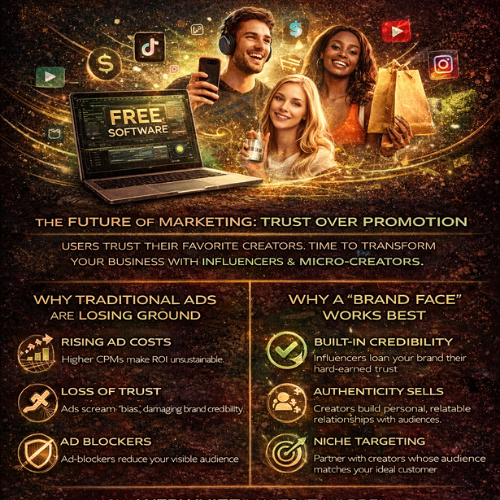
The Creator Economy for Small Business Why Your 2026 Marketing Strategy Needs a Human Face
The way customers discover, trust, and purchase from small businesses has fundamentally changed. If your marketing budget is still heavily weighted toward expensive, disruptive social media advertisements, you are already falling behind. Welcome to the Creator Economy—a landscape where connection trumps interruption. For small businesses, harnessing this shift is no longer optional; it is the most efficient path to growth in 2026. This is the definitive guide from WebWhizz on why hiring a "brand face" is the smarter, more effective strategy than relying solely on traditional digital advertising, and how we can help you integrate this strategy seamlessly. The Trust Crisis: Why Traditional Ads Are Failing Small Businesses For the past decade, the solution to stalled growth was simple: pump more money into Facebook, Instagram, or Google ads. Today, that playbook is broken. We are living in an era of digital fatigue and extreme saturation. Consumers are weary of polished, aggressive marketing designed solely to push a sale. The Costly Reality of 2026 Advertising Traditional social media advertisements are facing significant headwinds that drastically reduce their effectiveness for small businesses: Rising CPMs (Cost Per Mille): Competition for ad space is fiercer than ever. Small businesses simply cannot afford to compete with multinational corporations for prime placements, resulting in higher acquisition costs and diminishing returns. Ad Blocker Adoption: Across desktop and mobile, ad blocker usage continues to climb, silently eliminating a significant portion of your paid reach. The Algorithm Penalty: Algorithms are increasingly designed to prioritize authentic, relational content over disruptive advertising, pushing promotional posts lower in user feeds. Loss of Trust: Consumers intuitively understand that a paid ad is biased. The conversion rate on traffic generated by a cold ad is plummeting compared to traffic generated by a personal recommendation. The Strategic Shift: Investing in a Brand Face The solution to the trust crisis is simple: authenticity. Instead of buying attention through traditional ads, small businesses need to earn attention through human connection. This is where the "Brand Face" (or micro-creator/influencer) steps in. A brand face is not necessarily a celebrity; they are individuals with established, trusting communities who can genuinely advocate for your product or service. They are your business’s relatable, human representative in the digital sphere. The Power of Authenticity and Relatability When a creator recommends a service, they are loaning their hard-earned trust to your brand. This results in significantly higher engagement and conversion rates compared to generic ad copy. Content That Converts: Creator content is inherently tailored to its audience. It integrates naturally into the user feed, feeling less like marketing and more like helpful advice or entertainment. Built-in Targeting: A creator’s audience is already segmented. If you partner with a creator who reviews SaaS tools, their followers are automatically highly qualified leads for your new B2B platform. You pay for engagement, not for broad impressions. The Feedback Loop: Creators often provide immediate, honest feedback from their audience, offering invaluable qualitative data that traditional analytics cannot capture. Why is this better than traditional ads? A traditional ad tries to interrupt the user's experience. A brand face is the user’s experience. The transition from discovery to purchase is seamless because the trust is already established. Superior ROI and Measurable Impact While traditional ads require high spend to break through the noise, creator-driven marketing offers scalable and often immediate returns. The content generated by creators—reviews, tutorials, unboxings—is reusable across your owned channels. You gain high-quality, high-trust content that you can leverage on your website, email campaigns, and organic social media long after the initial partnership ends. Integrating the Creator Economy into Your Strategy Moving from traditional digital advertising to creator partnerships requires a robust, well-defined strategy. This is where WebWhizz excels. We don't just build great websites; we build the digital foundation necessary to leverage modern marketing trends effectively. 1. Strategy and Selection: Finding Your Match The biggest risk in the Creator Economy is partnering with the wrong person. A mismatch in audience or values can damage your brand credibility. We help small businesses define their ideal brand face criteria, focusing on: Niche Relevance: Do their followers actively engage with products or services like yours? Engagement Metrics: We look beyond follower count to track true engagement rates, ensuring the creator has a dedicated, active community. Brand Alignment: Do their personal values and tone align perfectly with your brand identity? 2. Digital Infrastructure for Conversion A creator’s job is to build trust and drive traffic. Your website’s job is to convert that traffic. Creator traffic is typically highly motivated, but if they land on a slow, confusing, or outdated website, that investment is wasted. WebWhizz ensures your digital infrastructure is optimized for performance, trust, and conversion. Dedicated Landing Pages: We build high-converting landing pages specifically designed for traffic coming from a specific creator’s audience, allowing for customized messaging and tracking. Mobile-First Speed: Given that nearly all creator traffic originates on mobile platforms, your site speed must be flawless to prevent high bounce rates. ➡️ Learn how WebWhizz designs digital experiences that convert high-trust traffic into revenue. Visit our Web Development Services Page to start building your foundation. 3. Performance Tracking and Optimization The ultimate advantage of using a brand face is the ability to track performance accurately—provided your analytics are set up correctly. We establish deep tracking mechanisms to measure the true ROI of every creator partnership: Unique Vanity URLs/Codes: We implement unique tracking links and promotional codes for each creator, allowing us to attribute sales and leads directly back to their efforts. Behavioral Flow Analysis: We monitor how creator-driven traffic behaves once it hits your site (e.g., time on site, pages viewed, path to conversion). Cost Efficiency Comparison: We provide clear reports comparing the Customer Acquisition Cost (CAC) derived from creator partnerships versus traditional paid media, consistently demonstrating the efficiency of the human touch. Future-Proofing Your Marketing Budget By 2026, the businesses that thrive will be those that prioritize authentic connection over mass disruption. Investing in a brand face is not just a tactical shift; it is a strategic repositioning of your brand from seller to trusted partner. This strategy ensures your marketing budget is not consumed by the ever-increasing cost of impressions, but rather dedicated to building lasting relationships that drive genuine growth and community loyalty. Ready to Give Your Small Business a Human Advantage? The transition to a creator-led strategy can feel overwhelming, but you don't have to navigate the selection, contracting, integration, and tracking alone. WebWhizz specializes in bridging the gap between cutting-edge digital marketing trends and solid, measurable digital performance. We help small businesses identify the right faces, manage the relationship, and ensure that every piece of content leads directly to a quantifiable result on your optimized website. Stop chasing declining returns from traditional ads. Start earning genuine trust. Let’s discuss how to find the perfect Brand Face for your business and build the digital infrastructure to support their success. Reach out to our strategy team today: Contact WebWhizz for a Strategy Session.
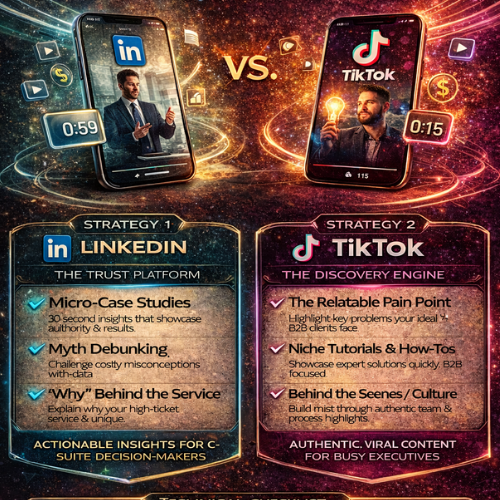
Short-Form Video for B2B How to Use 60-Second Clips to Close High-Ticket Clients
The landscape of B2B sales is undergoing a rapid, often jarring, evolution. While white papers and 50-page reports still hold their place, the gatekeepers—and increasingly, the decision-makers themselves—have zero tolerance for wasted time. If you are selling high-ticket services—where trust, authority, and perceived value are non-negotiable—you need a marketing strategy that builds a deep connection, fast. Enter short-form video (SFV). Often dismissed as a playground for Gen Z or consumer brands, 60-second clips on platforms like LinkedIn and TikTok are now the most efficient way to pre-qualify, nurture, and ultimately close lucrative B2B clients. This guide will show you how to shift your strategy from chasing leads to building magnetic digital authority, turning quick clips into powerful conversion tools. Why 60 Seconds is the New Sales Pitch The average attention span continues to shrink, but the need for genuine expertise in high-ticket B2B services (like specialized consulting, complex software integration, or advanced web development) has never been higher. SFV bridges this gap by offering immediate, digestible value. The Power of Authenticity and Clarity High-ticket buyers don't purchase based on a low price; they purchase based on certainty and trust. They want to know the person behind the brand is competent, knowledgeable, and reliable. Humanizing the Brand: Video allows potential clients to see your face, hear your tone, and gauge your confidence. This rapid humanization accelerates the trust-building process far faster than text alone. Immediate Expertise Demonstration: Instead of requiring a prospect to download a 20-page guide to understand your methodology, you can break down a complex concept into a 45-second "Aha!" moment. This positions you as an immediate authority. Efficiency for Decision-Makers: C-level executives and key stakeholders are time-poor. A video that respects their time by delivering a single, critical insight in under a minute is far more valuable than a lengthy cold email. Strategy 1: Mastering LinkedIn Video (The Trust Platform) LinkedIn is your primary hunting ground. It is the professional environment where decision-makers expect thoughtful, relevant, and slightly polished content. The goal here is to establish undeniable thought leadership. Content Pillars for High-Ticket LinkedIn Success Your 60-second videos must be designed to solve a major pain point for your ideal high-ticket client. Micro-Case Studies (30-45 seconds): Don't share the whole success story; share the single biggest transformation you achieved for a client. Example: "We took a client's website load time from 8 seconds to 1.5 seconds, directly increasing their funnel conversion rate by 18%. Here’s the one technical change that drove that result. Myth Debunking: Challenge widely held, expensive misconceptions in your industry. If you offer advanced SEO strategy, debunk the latest Google algorithm rumors. Data Insight Breakdown: Present one shocking, relevant data point related to poor performance (e.g., bad web design, outdated tech stack) and immediately offer a tangible, actionable fix. The "Why" Behind the Service: Explain why your approach to a service (like Conversion Rate Optimization) fundamentally differs from your competitors, justifying the high-ticket investment. WebWhizz Tip: Every great LinkedIn video needs a clear next step. Are you driving them to a specialized landing page to capture their email, or directly to a discovery call scheduler? If your website isn't optimized for high-value lead capture, the video effort is wasted. Learn how we build conversion-optimized funnels that turn video viewers into qualified prospects: Explore Our Conversion Optimization Services at webwhizzservices.com/services/cro. Strategy 2: Leveraging TikTok (The Discovery Engine) If LinkedIn is where you confirm expertise, TikTok is where you generate massive, surprising discovery. High-ticket decision-makers are increasingly active on TikTok, often scrolling through during non-work hours. The tone here must be authentic, highly engaging, and focus more on the problems than the formal solutions. Bridging the Gap: From TikTok View to Qualified Lead The content on TikTok should aim for relatability and virality within your niche, even if that niche is highly technical. The Relatable Pain Point: Use trending sounds or formats to discuss B2B frustrations. Example: A quick cut video showing the frustration of dealing with a slow, outdated website, followed by a screen recording demonstrating a modern, high-speed solution. Niche Tutorials & "How-Tos": Offer extremely quick, hyper-specific tutorials that demonstrate proprietary knowledge. Think: "How to check if your current host is costing you leads in 45 seconds. Behind the Scenes/Culture: Show the professionalism and dedication of your team without being stuffy. Authenticity builds connection, which is key for those making large purchasing decisions. The Authority Funnel The goal of TikTok is not to sell directly, but to drive traffic to a place where they can learn more about your professional services. The Hook: A trending video structure addressing a pain point relevant to their business. The Promise: Demonstrating a quick fix or high-level insight. The Call to Action (CTA): Directing viewers to the link in your bio, which must lead them off-platform to your controlled environment (your website). If you are generating thousands of views but few leads, your web presence is likely the bottleneck. We specialize in building robust digital ecosystems that translate high-volume social traffic into high-quality B2B leads. See Our Full Website Design and Development Portfolio at webwhizzservices.com/portfolio. The Technical Checklist: Production Essentials The good news is that high-ticket B2B video doesn't require a film studio, but it does require clarity and consistency. | Element | LinkedIn Standard (Trust) | TikTok Standard (Discovery) | | :--- | :--- | :--- | | Video Length | 45–60 seconds | 15–45 seconds | | Editing Style | Clean cuts, simple text overlays, professional graphics. | Fast cuts, on-screen text for clarity, sound/music is essential. | | Audio Quality | Mandatory high quality. Use a dedicated lapel mic. | Clear audio, though phone-level quality is acceptable if content is compelling. | | Subtitles | Mandatory. Most B2B users watch LinkedIn silently. | Mandatory. Enhances accessibility and retention. | | Format | Vertical (9:16) for max screen usage. Upload Natively. | Vertical (9:16). | | Delivery | Direct to camera or screen recording demonstrations. | Energetic, often incorporating trends or voiceovers. | The WebWhizz Connection: Turning Views into Revenue Short-form video is the catalyst; your website is the engine that converts interest into revenue. Imagine a potential client watches your 60-second clip on LinkedIn, is immediately impressed by your technical mastery, and clicks through to your website. What do they find? If they encounter a slow-loading site, confusing navigation, or a generic contact form, the trust you built in 60 seconds evaporates. At WebWhizz, we ensure that your digital infrastructure is perfectly calibrated to handle high-ticket clients driven by authority marketing: High-Performance Hosting and Speed Optimization: We guarantee that your website loads instantly, maintaining the momentum created by your fast-paced video content. Strategic Lead Magnet Placement: We integrate specialized lead capture forms and resources tailored for the high-ticket prospect, ensuring you collect crucial data points from your video traffic. Sales Enablement Integrations: Connecting your video content success directly to your CRM via optimized landing pages, streamlining the handoff from marketing awareness to sales follow-up. Ready to align your B2B video marketing with a website engineered for closing high-ticket deals? Learn more about how WebWhizz Services can optimize your digital ecosystem today at webwhizzservices.com/services. Conclusion: Stop Selling, Start Demonstrating Short-form video is not a fad in B2B; it is the inevitable evolution of professional communication. For high-ticket services, the ability to build trust and demonstrate undeniable expertise in under a minute is the new currency. By strategically leveraging LinkedIn for polished authority and TikTok for broad discovery, you stop sending endless cold emails and start attracting clients who are already pre-sold on your value. Start filming, start connecting, and watch those high-ticket opportunities flood your optimized funnel.
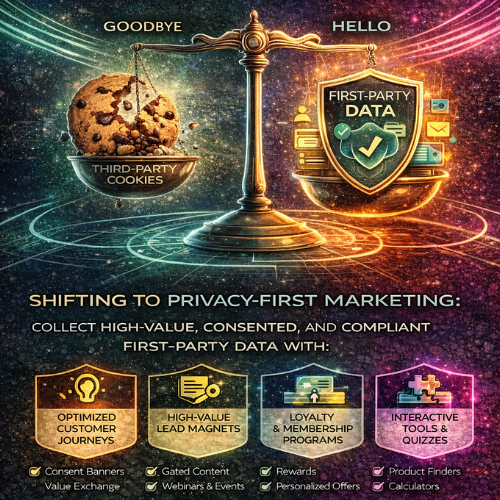
Privacy-First Marketing The Essential Pivot to First-Party Data
The digital marketing landscape is undergoing its most profound transformation in decades. The slow, painful deprecation of third-party cookies, coupled with rapidly evolving global privacy legislation (GDPR, CCPA), has forced businesses into a critical strategic pivot. The old era of broad, often intrusive, third-party tracking is over. The new era is built on consent, transparency, and high-quality, owned data. For businesses aiming not just to survive but thrive, this shift requires mastering Privacy-First Marketing and elevating First-Party Data (FPD) to the gold standard. The New Reality: Why Third-Party Cookies Are Obsolete For years, marketers relied on third-party cookies—tiny snippets of code dropped by external domains—to track users across different websites, build massive behavioral profiles, and enable retargeting. Today, this model is fundamentally broken: Browser Restrictions: Major browsers (Safari, Firefox, and increasingly Chrome) are blocking or severely restricting third-party tracking by default. Regulatory Pressure: Consumers are protected by stricter laws, making non-consensual tracking a legal liability. Consumer Expectations: Users are increasingly privacy-savvy and actively demand transparency in how their data is used. The result is a major loss of signal for traditional targeting and measurement tools. The only reliable solution is to control the data flow entirely—by collecting it directly. Understanding the Gold Standard: First-Party Data (FPD) First-Party Data is information a company collects directly from its customers through owned channels. Crucially, the customer knows they are providing the data, and the data is stored and utilized solely by the brand that collected it. The Power of FPD In the post-cookie world, FPD offers unmatched advantages: Accuracy and Quality: It is pristine, real-time data collected at the point of interaction (e.g., a purchase, a sign-up, or a website preference update). Compliance: Because it is collected with explicit or implied consent directly from the user on your domain, it inherently supports most major privacy frameworks. Higher ROI: FPD allows for highly effective personalization, leading to better segmentation, higher conversion rates, and increased Customer Lifetime Value (CLV). Ownership and Control: You own this data outright, safeguarding your marketing intelligence from external platform changes. Strategies for Ethical First-Party Data Collection Moving to a privacy-first model is not just a technical change; it's a strategic shift requiring innovation at every customer touchpoint. At WebWhizz, we help businesses structure their infrastructure to maximize ethical FPD capture and usage. Here are the core strategic pillars: 1. Optimize Your Customer Experience (CX) Touchpoints The best way to get data is to ask for it politely, explaining the value in return. The goal is to move passive visitors into known, consented users. Consent Management Platforms (CMPs): Implement clear, compliant consent banners and preference centers that allow users to easily opt-in or out, ensuring you adhere to local regulations. Value Exchange: Instead of demanding a massive sign-up form, offer progressive profiling. Ask for an email address in exchange for an immediate benefit (e.g., a 10% discount) and then collect more detailed demographic data later in the customer journey. 2. Leverage High-Value Content and Gated Assets Content remains one of the most powerful FPD collection tools. If the value of the content is high enough, the exchange for an email address or basic profile information becomes worthwhile for the consumer. Lead Magnets: Offer downloadable industry reports, comprehensive guides, or competitive analyses (e.g., "The 2024 State of E-commerce Report") behind a simple registration form. Webinars and Virtual Events: These require an email sign-up and often provide opportunities to collect deeper professional data (job title, company size) during registration. 3. Build Robust Loyalty and Membership Programs Subscription and loyalty programs are the bedrock of sustainable FPD strategy. They incentivize customers to actively share data about their preferences, purchase history, and lifestyle in exchange for rewards, early access, or exclusive content. The data gathered here (e.g., "Favorite product type," "Desired shipping speed") allows for hyper-segmentation that third-party data could never provide. 4. Implement Interactive and Data-Gathering Tools Static forms are dull. Interactive tools make data collection fun and useful for the customer. Quizzes and Product Finders: An interactive quiz like "Find Your Perfect Running Shoe" collects explicit preference data while simultaneously guiding the customer toward a purchase. Calculators and Configurators: Tools that help a customer solve a problem (e.g., "Estimate Your Website Development Cost") require input fields that translate directly into valuable intent data. The Technical Infrastructure: Moving Beyond the Browser Collecting FPD is only half the battle. To be useful, it must be centralized, cleaned, and activated across all marketing channels. This requires a robust technical foundation—expertise that is core to what we do at WebWhizz. Centralizing Data with a Customer Data Platform (CDP) The key component of a modern privacy-first stack is the Customer Data Platform (CDP). A CDP ingests all your FPD—from your website, CRM, POS systems, and service desks—and creates a single, unified customer profile. This unification allows you to: Activate Data: Use the same behavioral insights to personalize email, tailor website content, and create lookalike audiences for paid media (even without third-party cookies). Manage Consent: Apply consent flags uniformly across all systems, ensuring you never message a customer who has opted out. Enhancing Data Quality with Server-Side Tagging (SST) Traditional tracking relies on client-side tracking (browser tags), which are easily blocked by modern browsers and ad-blockers, leading to data loss. Server-Side Tracking (SST) moves the processing of data away from the user’s browser and onto a secure server you control. This significantly improves data quality and reliability while offering enhanced privacy control, as less data is exposed to the user’s device. Need help structuring your data infrastructure, integrating a CDP, or migrating to Server-Side Tracking? Learn about our comprehensive Data Strategy and Analytics services at WebWhizz Services. Moving Forward: Marketing Built on Trust The shift to Privacy-First Marketing is not a punitive measure; it is an opportunity. It forces businesses to move away from low-quality, high-volume data streams towards high-quality, high-trust relationships. When customers willingly provide their data because they trust your brand and understand the reciprocal value, the data you collect is exponentially more powerful. This trust translates directly into loyalty, retention, and ultimately, greater profitability. The future of marketing belongs to those who prioritize consumer consent and transparency. It’s time to stop chasing fleeting third-party signals and start cultivating your own rich garden of First-Party Data. Are You Ready for the Privacy Revolution? The post-cookie era is here, and waiting is no longer an option. Future-proofing your marketing means adopting technologies and strategies that center around the customer experience and ethical data collection. If your current analytics setup relies heavily on outdated tracking methods, or if your First-Party Data sits siloed across multiple systems, it’s time for an audit. The team at WebWhizz specializes in helping businesses navigate this transition, implementing robust data architecture and defining clear FPD strategies that drive compliance and results. Ready to audit your current analytics setup and build a resilient data strategy? Contact the WebWhizz team today and let’s make your marketing intelligence unstoppable.
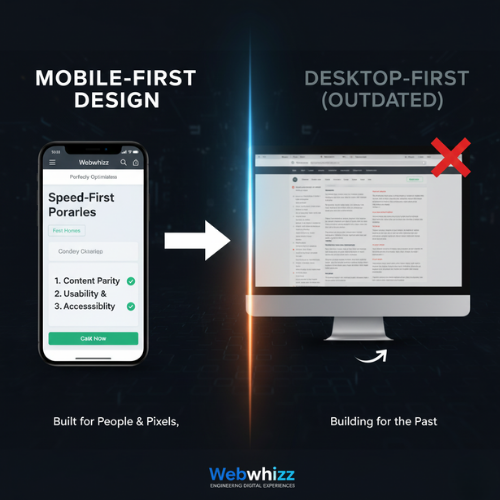
Mobile-First Design Why Your Website’s Future Must Start on a Smartphone
The Digital Landscape Has Shifted: Are You Still Building for the Past? For over a decade, the digital world has experienced a revolution fueled by convenience: the smartphone. Today, a staggering majority of web traffic, search queries, and e-commerce transactions happen on mobile devices. If your business relies on an outdated website built initially for large desktop screens, you are actively frustrating your potential customers and, perhaps more critically, penalizing your standing with Google. At Webwhizz, we don't just build websites; we engineer digital experiences optimized for the way people actually use the internet today. This commitment is centered entirely around one pivotal methodology: Mobile-First Design (MFD). In this comprehensive guide, we'll dive deep into what MFD truly means, why it’s non-negotiable for modern SEO, and how embracing this strategy with Webwhizz (webwhizzservices.com) ensures your business is positioned for success. What Exactly is Mobile-First Design (MFD)? Mobile-First Design is a revolutionary philosophy in web development that flips the traditional process on its head. Historically, developers built the large, complex desktop version of a site first, then "shrunk" or adapted it to fit smaller screens (a process called responsive design). MFD, however, starts with the smallest screen and the most constrained environment. The MFD Philosophy: Content, Context, and Constraint The core principle of MFD is simple: start with the essential. When designing for a 4-inch screen, developers are forced to prioritize the most crucial content, features, and calls-to-action. This ensures that the user experience (UX) is fast, uncluttered, and highly focused from the very beginning. Only after the mobile experience is perfected do we progressively enhance the design, adding richer elements, larger images, and supplemental navigation for tablet and desktop users. MFD vs. Standard Responsive Design While Responsive Design ensures a site looks decent on any device, MFD dictates the starting point of the development process: | Feature | Responsive Design (Traditional) | Mobile-First Design (Modern) | | :--- | :--- | :--- | | Starting Point | Desktop screen (large canvas). | Mobile screen (small canvas). | | Priority | Retaining desktop features; adapting them later. | Prioritizing essential content and speed first. | | Performance | Can inherit legacy code bloat from the desktop version, slowing mobile load times. | Optimized performance because speed is baked into the initial design requirements. | | Outcome | Often functional, but sometimes slow or clunky on mobile. | Inherently fast, focused, and intuitive across all devices. | Why Google Made Mobile-First Indexing Mandatory If customer experience wasn't enough motivation, search engine optimization (SEO) makes Mobile-First Design a requirement, not an option. Google understands where its users are searching, and in 2018, it began rolling out Mobile-First Indexing (MFI). By 2021, MFI became the standard for almost all websites globally. The Mobile-First Indexing Imperative MFI means that Google's search crawlers now primarily look at the mobile version of your website to determine its ranking, relevance, and overall quality. In simple terms: If your desktop site is beautiful but your mobile site is slow, broken, or missing key content, Google will rank you based on the poor mobile experience. The Core Pillars of Mobile Ranking Google focuses on three main areas when assessing the quality of your mobile site: Speed and Performance: Slow sites equal high bounce rates. Google heavily weights page load speed, especially the metrics outlined in their Core Web Vitals (CWV) initiative (LCP, FID, CLS). MFD naturally addresses these by limiting resource-heavy elements on initial load. Content Parity: The mobile version must contain the same high-quality, relevant content as the desktop version. If you hide crucial paragraphs or keywords on mobile, Google might not index them. Usability and Accessibility: Can users easily click buttons, read the text, and navigate without zooming or horizontal scrolling? Mobile-First Design ensures touch targets are large enough and fonts are legible by default. The Webwhizz Advantage: Building for People and Pixels Choosing Mobile-First Design is the single best investment you can make in your website’s future. It provides immediate, measurable benefits across key business metrics: 1. Superior User Experience (UX) When a design starts with mobile constraints, the result is an inherently clean and efficient experience. Users find what they need quickly, leading to higher conversion rates, longer sessions, and lower bounce rates. 2. Immediate SEO Dominance MFD sites are optimized for speed from the ground up, giving you a distinct competitive advantage in search results. Higher performance scores directly correlate with higher rankings, ensuring your business is found by customers searching on the go. 3. Future-Proofing Your Investment As new devices (watches, foldable phones) enter the market, a Mobile-First site is far easier to scale and adapt than a desktop-heavy site. Your investment in MFD today protects you from costly redesigns tomorrow. Our Approach at Webwhizz At Webwhizz, we integrate MFD principles into every stage of development. Our team understands that a successful site is not just about aesthetics; it's about engineering speed and efficiency. This is why our projects focus on: Prioritized Asset Loading: Ensuring essential content (text, main image) loads instantly, while secondary assets load later. Optimal Touch Targets: Designing interfaces specifically for finger interactions, minimizing user frustration. Streamlined Codebase: Building lean, optimized code that keeps performance metrics high, consistently passing Core Web Vitals checks. We believe in providing digital solutions that drive real results for our clients. To learn more about our methodologies, our success stories, and the values that drive our team, we invite you to read more About Us. Checklist: Is Your Site Truly Mobile-First? If you are unsure whether your current platform meets the demands of MFI, ask yourself these crucial questions: Test 1: Speed: Does your page load in under 3 seconds on a standard 3G connection? Test 2: Layout: Do you ever have to pinch-to-zoom or scroll horizontally to read content? Test 3: Content Consistency: Is all the crucial content, imagery, and navigation available on the mobile version, or are essential elements hidden? Test 4: CWV Score: Does your site consistently achieve "Good" scores across Google’s Core Web Vitals report (LCP, FID, CLS)? If the answer to any of these is no, your site is likely suffering from poor mobile performance and diminished search visibility. Don't Be an Afterthought. Be the Priority. The digital clock isn’t ticking backwards. Mobile dominance is the present and the future. Relying on a desktop-first design is like setting up a billboard in a town where everyone only drives through the back alley—you’re targeting the wrong audience, on the wrong device, and failing to meet Google’s criteria for quality. If you are ready to stop penalizing your business and start dominating search rankings, it’s time to embrace the proven power of Mobile-First Design. Webwhizz (webwhizzservices.com) is here to transform your digital strategy. Let us build a blazing-fast, highly optimized mobile experience that serves both your customers and the world’s leading search engine. Ready to put your customers first, every single time? Contact Webwhizz today to discuss your next mobile-first project!
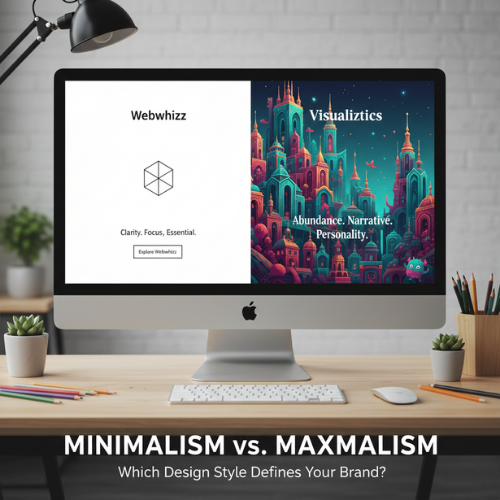
Minimalism vs. Maximalism Which Design Style Defines Your Brand
In the vast, noisy digital landscape, the visual identity of your brand is your primary handshake. Every element—from the font on your logo to the amount of whitespace on your homepage—sends a signal. Two competing philosophies dominate the world of aesthetics and design, each offering a fundamentally different approach to communication: Minimalism and Maximalism. But this isn't just about choosing furniture or paint colors. When translating these styles to your digital presence and brand identity, you are choosing a voice, a personality, and a user experience (UX) strategy. Which philosophy is right for your brand? Let’s dive into the contrast and help you decide which side of the spectrum best serves your strategic goals. The Core Philosophy: Defining the Styles Before we apply these concepts to the digital realm, it’s crucial to understand the foundational definitions that govern these design movements. 1. Minimalism: The Doctrine of Essentialism Minimalism is built on the principle of less is more. It is the intentional stripping away of non-essential elements to highlight the core purpose or message. Core Tenets: Purity and Clarity: Focusing on essential forms, materials, or content. Whitespace: Utilizing negative space as a powerful design element. Functionality Over Decoration: Every element must serve a purpose. Limited Palettes: Often featuring monochrome, muted, or achromatic colors. 2. Maximalism: The Embrace of Abundance Maximalism is the deliberate rejection of restraint. It is a philosophy that embraces rich complexity, layered texture, visual storytelling, and personality. Core Tenets: Layering and Depth: Utilizing multiple textures, patterns, and colors simultaneously. Narrative Richness: Every object or design element contributes to a larger story. High Personality: Bold, often quirky, and highly memorable aesthetics. Visual Complexity: Embracing density, saturation, and intricate detail. Digital Minimalism: Clarity and Focus In web design and branding, minimalism is the gold standard for efficiency and clarity. Brands that thrive on trust, high conversion rates, and seamless mobile experience often lean heavily on this style. The Aesthetic of Digital Minimalism: Vast Whitespace: Directs the user's eye instantly to the key call-to-action (CTA). Stripped-Down Navigation: Fewer links, often hidden behind a hamburger menu to maintain a clean interface. Monochromatic Photography: High-quality, impactful images that stand alone without heavy editing or borders. Strong Typography: Fonts are often sans-serif, acting as the primary visual element. Key Brand Benefits of Digital Minimalism | Benefit | Strategic Value | | :--- | :--- | | Increased Trust | The clean, organized nature suggests efficiency and professionalism (ideal for FinTech, SaaS, or luxury brands). | | Faster Load Times | Less content and fewer visual assets lead to superior site performance and better SEO rankings. | | Superior UX | By removing distractions, the user journey is simplified, leading to higher conversion rates and reduced cognitive load. | | Mobile-First Effectiveness | Minimalist designs translate flawlessly to small screens, maintaining speed and clarity. | When Minimalism Can Fall Short While effective, minimalism isn’t always the right fit. If your brand is highly creative, historical, or focused on community engagement, a pure minimalist approach can feel too sterile, cold, or generic. It can also make it difficult to convey a complex product offering quickly. Digital Maximalism: Personality and Engagement Digital maximalism is the antidote to bland conformity. It allows a brand to be unapologetically unique, memorable, and deeply engaging, prioritizing an immersive experience over pure transactional efficiency. Think of sites that use rich, custom illustrations, dense scrolling narratives, unusual cursor animations, and retro or complex typefaces. The Aesthetic of Digital Maximalism: Pattern Overload: Using distinct, repeating patterns in backgrounds and borders. Rich Color Palettes: Utilizing deep, saturated, or contrasting colors (think Neoclassical, Art Deco, or specific retro themes). Layered Visuals: Text superimposed over images, dynamic scrolling effects, and detailed iconography. Custom Typography: Using highly expressive, display fonts that reflect unique brand characteristics. Key Brand Benefits of Digital Maximalism | Benefit | Strategic Value | | :--- | :--- | | Unforgettable Memorability | Brands that embrace maximalism stand out immediately in a sea of simple, flat designs. | | Powerful Storytelling | Ideal for brands selling an experience or a lifestyle (e.g., hospitality, high fashion, unique cultural goods). | | Niche Appeal | Attracts a specific, highly engaged audience who appreciate complexity and detail. | | Visual Depth | Conveys history, tradition, or specific artistic sensibilities instantly. | When Maximalism Can Be Detrimental The main risks of maximalism are poor performance and overwhelming users. If design choices aren't intentional, maximalism devolves into clutter. A maximalist website requires expert optimization to avoid slow load times, confusing navigation, and accessibility issues. Finding Your Brand Identity: The Webwhizz Integration Choosing between these two powerful design philosophies is not a matter of personal taste; it's a strategic business decision. Your design choice must align with your target audience, your brand values, and the feeling you want to evoke. To start charting your path, ask yourself these crucial questions: Self-Reflection Questions for Brand Design What is our primary goal? (e.g., Conversion? Education? Entertainment?) What is our brand personality? (e.g., Serious and reliable? Playful and disruptive? Luxurious and reserved?) How mature is our audience? (Younger, digitally savvy users often tolerate more complexity; older audiences often prefer clarity.) How many steps does the user need to take? (E-commerce sites need fast, simple checkouts—leaning minimalist. Portfolio sites can afford rich visuals—leaning maximalist.) How much content do we need to display? (Data-heavy sites often require minimalist structure to organize information.) About Us: The Strategic Guidance You Need If you're struggling to decide whether a highly refined, efficient minimalist approach or a bold, narrative-driven maximalist style will best serve your brand’s growth, you need expert strategic consultation. At Webwhizz, we understand that design isn't just about aesthetics; it's about strategy, performance, and user psychology. We specialize in translating your unique brand vision into a high-performing digital experience that maximizes ROI. We help you choose a design language—whether minimalist, maximalist, or a strategic hybrid—that speaks directly to your ideal customer. Ready to translate these ideas into a high-performing website? Learn more about us and explore our comprehensive web development and branding services: webwhizzservices.com. The Power of Intentional Design: A Hybrid Approach It’s important to note that very few successful digital brands are 100% one style or the other. Modern design often employs a hybrid, or Intentional Design, approach. An intentional approach borrows the best traits of both styles: Maximalist Personality on a Minimalist Skeleton: The site structure (navigation, layout) is clean and highly functional (minimalist), but the featured content areas (hero images, product pages) are rich, textured, and narrative-driven (maximalist). Visual Hierarchy: You can use minimalism to govern the essential elements (checkout pages, contact forms) where clarity is paramount, while allowing maximalism to dominate the less crucial, more experiential pages (blog, "About Us"). The goal is always to achieve a cohesive brand identity—a style where every choice, whether subtle or loud, reinforces your core message. Conclusion The battle between Minimalism and Maximalism is the battle between efficiency and expression. If your brand values speed, ease of use, and professional trust, the uncluttered efficiency of Minimalism is likely your strongest tool. If your brand is defined by history, artistic complexity, or a desire to create a deeply memorable, immersive experience, Maximalism offers the canvas for your story. Whichever path you choose, remember that great design is purposeful. It’s a foundational element of your business strategy, not just a coat of paint. Define your values first, and the design style will naturally follow. Ready to build a website that aligns perfectly with your brand identity? Contact the experts at Webwhizz today.

Interactive Content Why Quizzes, Polls, and Calculators Generate 3x More Leads
In today's saturated digital landscape, attention is the hardest currency to earn. Every business owner, content strategist, and marketing director knows the struggle: you pour resources into creating exceptional blog posts, white papers, and guides, only to watch lead conversion rates remain stubbornly low. The truth is, standard passive content—no matter how well-written—often hits a ceiling. If you’re ready to break through that barrier and transform your website into a true lead-generating machine, it's time to shift your strategy toward active participation. At WebWhizz, we specialize in building digital experiences that don't just inform, but engage, segment, and convert. The secret weapon? Interactive Content. This post will explore the compelling data behind interactive content, dissecting why quizzes, polls, and calculators consistently outperform standard content formats—sometimes generating three times the leads. The Engagement Crisis and the 3x Multiplier For years, content marketing operated on a simple premise: publish valuable content, and leads will follow. While valuable content remains the foundation of authority, it's no longer enough to initiate a conversion. Readers are easily distracted, and the barrier to simply skimming an article is zero. Interactive content flips this model. It requires the user to invest effort (answering a question, inputting data, making a choice) in exchange for personalized, instant gratification (a result, a recommendation, or an ROI figure). This investment drastically increases engagement time and, critically, improves the quality of the captured lead. Data Speaks: Higher Conversion, Better Data Studies consistently show that content requiring input sees far higher conversion rates than static forms attached to standard blogs. Why? Because the lead capture (often requiring an email address to receive personalized results) feels justified by the immediate value provided by the interaction. Instead of acquiring a cold lead who simply downloaded a generic PDF, you acquire a warm lead segmented by their specific answers, pain points, or calculated needs. Why Interactive Content Is Psychologically Powerful The success of interactive content isn't a fluke; it's rooted in fundamental human psychology and digital best practices. 1. The Principle of Reciprocity and Immediate Value When a user completes a quiz or uses a calculator, they have successfully completed a small task and expect a reward. Requesting an email address to deliver that personalized reward (the quiz result, the custom quote, the ROI estimate) feels like a fair transaction—a reciprocal exchange of value. 2. The Power of Personalization and Relevance Standard content is one-size-fits-all. Interactive content, by its nature, is tailored. · Quizzes answer the innate human need for self-reflection and categorization ("What kind of investor are you?"). · Calculators provide exact, relevant data ("How much can I save with your service?"). This personalization makes the user feel seen and understood, leading to higher trust and a stronger intent to purchase. This segmented data is gold for your follow-up email campaigns. 3. Entertainment Value and Virality Let’s face it: interacting is fun. Quizzes often carry a low-stakes entertainment factor that passive reading lacks. This makes them highly shareable across social media. A well-designed, entertaining quiz can generate significant organic traffic that would cost a fortune in paid advertising. Key Interactive Formats WebWhizz Leverages for Lead Generation At WebWhizz, we integrate interactive content strategy directly into the websites we design, ensuring these tools are seamlessly linked to your CRM and marketing automation platforms. Here are the three formats we utilize most effectively: 1. Strategic Quizzes and Assessments Quizzes are the ideal content format for segmenting your audience and identifying their precise stage in the sales funnel. Marketing Segmentation: Quizzes like "Assess Your Website Health in 5 Minutes" or "Which Service Package is Right For You?" immediately categorize leads based on their current needs and challenges. Service Relevance: The results page can directly recommend specific WebWhizz services, shortening the path from interest to consultation. Lead Quality: By analyzing the answers provided within the quiz, your sales team receives immediate context, allowing for highly targeted follow-up calls. 2. ROI and Utility Calculators For service-based businesses, especially B2B organizations, calculators move beyond simple engagement to demonstrating tangible value. The "Cost-of-Inaction" Calculator: This tool lets potential clients input their current data (e.g., current marketing spend, website traffic) and calculates the projected savings, ROI, or efficiency gains they could realize by partnering with you. Instant Budgeting: A simple "Project Estimator" provides instant, albeit broad, price clarity, qualifying leads based on budget compatibility before they even request a demo. 3. Polls and Surveys for Market Insights While quizzes focus on the individual, polls and surveys gather valuable collective market data. Instant Feedback Loops: Use quick polls on blog posts ("Is lead quality or lead volume your biggest challenge right now?") to gauge current market sentiment and inform future content strategy. Product/Service Validation: Surveys offer quantitative data on what features or services your target audience genuinely wants, providing a roadmap for development and marketing messaging. Implementation: How WebWhizz Activates Your Content Strategy Creating an interactive piece of content is more complex than writing a standard blog post. It requires sophisticated design, precise development, and seamless integration with existing marketing systems. At WebWhizz, we manage the entire lifecycle of your interactive content to ensure maximum conversion efficiency: Strategic Mapping: We identify the specific pain points of your target audience that a quiz or calculator can solve. Design and UX: We create intuitive, on-brand interfaces that maximize completion rates and minimize friction. Technical Development: We ensure the code is clean, fast, mobile-responsive, and accurate. Integration: The results are immediately funneled into your CRM (like HubSpot or Salesforce), tagging and scoring the lead based on their specific answers. Interactive content is not just an add-on; it's a foundational component of a high-converting digital presence. It delivers higher engagement, superior lead quality, and the competitive advantage necessary to thrive online. Ready to stop passively publishing and start actively converting? Let the team at WebWhizz transform your website from a passive brochure into an active lead magnet. Learn how we integrate customized interactive solutions with comprehensive web development and digital marketing strategies. Visit our services page today to start generating 3x the leads: webwhizzservices.com. Conclusion: Stop Informing, Start Engaging If your marketing focus is purely on traffic volume, you are missing the bigger picture: lead quality and conversion efficiency. Interactive content formats like quizzes, polls, and calculators provide the perfect mechanism to gather rich data while simultaneously offering immense value to your user. By shifting your strategy to prioritize active engagement, you don't just increase your conversion rate by 3x—you fundamentally improve the quality and segmentation of every lead that enters your funnel. It's time to put your users to work and watch your ROI soar.
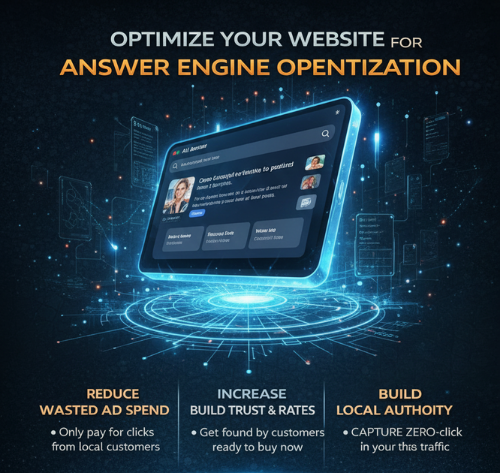
Hyper-Local Marketing How to Dominate Your City’s Service Market
When potential customers need a service—whether it’s plumbing, legal consultation, fitness training, or specialized web design—they rarely search for a company 500 miles away. They search for "[Service] near me." In today’s crowded digital landscape, generic national campaigns are costly and inefficient for service providers. The real battlefield is local. Welcome to the power of Hyper-Local Marketing—a targeted strategy that uses precision tools like geo-tagging and specialized Local SEO to ensure that when someone in your service area needs what you offer, you are the first company they see. At WebWhizz, we specialize in helping service businesses stop competing nationally and start dominating their specific neighborhoods. This guide breaks down the essential pillars required to claim your local market territory. The Shift: Why Hyper-Local is the New Global For many service providers, the primary challenge isn't visibility, it's relevance. You could have a beautiful website, but if it doesn't clearly signal to search engines where you operate, it's useless locally. Hyper-Local marketing is the strategic pivot designed to capture customers within a very specific geographic radius. This focus allows you to: Reduce Wasted Ad Spend: Stop paying for clicks from users outside your service radius. Increase Conversion Rates: Local searchers are often ready to buy or book immediately. Build Local Authority: Consistent local visibility establishes trust and reliability within the community. Foundational Pillar 1: Mastering Local SEO Local Search Engine Optimization (SEO) is the framework upon which all hyper-local success is built. It’s about more than just having your address on your contact page; it’s about configuring your digital presence to be recognized as the most relevant local solution. Optimizing Your Google Business Profile (GBP) The Google Business Profile (formerly Google My Business) is the single most important tool for local service businesses. When users search locally, the GBP result—often appearing in the "Map Pack"—is what grabs the eye. Key GBP Optimization Strategies: Complete and Accurate NAP: Ensure your Name, Address, and Phone Number (NAP) are identical everywhere online, down to the spelling of "Street" versus "St. "Detailed Service Area: Clearly define the cities, zip codes, or neighborhoods you serve. Category Selection: Use all relevant categories, starting with the most specific primary category (e.g., "Web Designer" before "Marketing Agency"). Regular Posting and Q&A: Treat your GBP like a mini social media channel. Post updates about services, special offers, or local events. Manage Reviews: Promptly respond to all reviews (positive and negative). Google rewards businesses that actively engage with customer feedback. Location-Specific Content and Citations Your website content needs to actively tell search engines where you are. Service Area Pages: If you serve multiple towns (e.g., Denton, Frisco, and Plano), create unique, high-quality pages dedicated to each location. These pages must provide unique value (e.g., local testimonials, case studies specific to that town, or local landmarks) and not just be copy-pasted templates. Local Citations: Ensure your business is listed accurately on relevant third-party directories like Yelp, Yellow Pages, and industry-specific sites. These citations act as votes of confidence for your local relevance. Schema Markup: This is the underlying code that tells search engines exactly what your data means. Implementing LocalBusiness Schema on your site is non-negotiable for hyper-local dominance. If managing the technical details of structured data, citation consistency, and comprehensive GBP strategies seems daunting, our team at WebWhizz specializes in setting up these crucial foundations. We build robust Local SEO strategies tailored for service providers. Learn more about our Local SEO Services here. Foundational Pillar 2: The Critical Role of Geo-Tagging While Local SEO focuses on explicit location data (addresses, citations), geo-tagging uses implicit, often hidden, metadata to strengthen your local signal. It moves beyond simple address listing and tells search engines, with precision, where your digital assets belong. What is Geo-Tagging? (Beyond the Selfie) Most people associate geo-tagging with social media—the automatic location stamp on an Instagram photo. In Hyper-Local marketing, geo-tagging refers to embedding geographic coordinates (latitude and longitude) into digital assets used on your website and profiles. When search engines crawl your site, they look at the metadata embedded in your images, videos, and PDFs. If this metadata includes precise coordinates matching your service location, it significantly boosts your local relevance score, especially for image-based searches. Implementing Geo-Specific Strategies For service businesses, geo-tagging is critical for building a watertight local footprint. Image Geo-Tagging: Before uploading photos of your work (e.g., a finished website, a completed installation, a team meeting), use a geo-tagging tool to embed the coordinates of your business location or the location where the service was performed into the image file’s EXIF data. Website Metadata: Ensure all your critical service pages include relevant geo-keywords in their title tags and meta descriptions, linking them back to your target location. Geo-Fencing (Advanced Strategy): This involves drawing a virtual boundary around a specific physical location (like a competitor’s location or a high-traffic area). We can then target mobile users who enter or leave that boundary with highly specific ads related to your service. This is one of the most effective ways to steal market share locally. Geo-tagging is a powerful but technical strategy that requires specific knowledge of metadata and file manipulation. Because it involves deep file structure modification and advanced ad configuration, it often requires specialist support. Want to leverage advanced geo-tagging and geo-fencing strategies to precisely target customers in your immediate service area? WebWhizz offers specialized technical development and digital advertising services to execute these complex campaigns. Explore our Digital Strategy & Technical Development Services. Actionable Steps: Your Hyper-Local Checklist To start dominating your local service market today, follow this step-by-step process: 1. Audit Your NAP Consistency Use an online tool or manually check your business listings across the top 20 directories (Yelp, Facebook, Bing Places, etc.). Correct every inconsistency in name, address, or phone number. 2. Deep Dive into Your GBP · Upload at least five new high-quality photos to your GBP this month, ensuring they are geo-tagged. · Use the "Products" or "Services" feature to list everything you offer with detailed descriptions. · Encourage customers to leave reviews, specifically asking them to mention the service received and the location served within their text (e.g., "WebWhizz designed a fantastic website for my bakery in downtown Austin!"). 3. Create Localized Landing Pages Identify your top three most profitable service areas. Build a dedicated, unique landing page for each, featuring local testimonials and unique images that are properly geo-tagged. 4. Implement Local Links Look for local partnerships. Get listed on the website of your local Chamber of Commerce, neighborhood associations, or other non-competing local businesses. Local links are incredibly powerful for boosting authority. 5. Monitor Your Competitors Use Google Maps to search for your services in nearby neighborhoods. Analyze the top three competitors who consistently show up in the Map Pack. What are they doing differently with their review strategy or GBP posts? The Conclusion: Claim Your Local Territory Hyper-local marketing is not an optional extra; it is the core strategy for any service business looking to thrive in its immediate market. By strategically combining robust Local SEO practices with the precision of geo-tagging, you move from being one choice among many to being the only relevant choice in your city. Ready to stop wasting resources on broad campaigns and start focusing on the customers right outside your door? At WebWhizz, we provide the strategic insight and technical execution needed to dominate your city's service market. Let us help you put your business on the map, literally. Don't wait—the competition is already searching. Contact WebWhizz today to schedule a consultation and start building your hyper-local empire. Get Started with WebWhizz Services
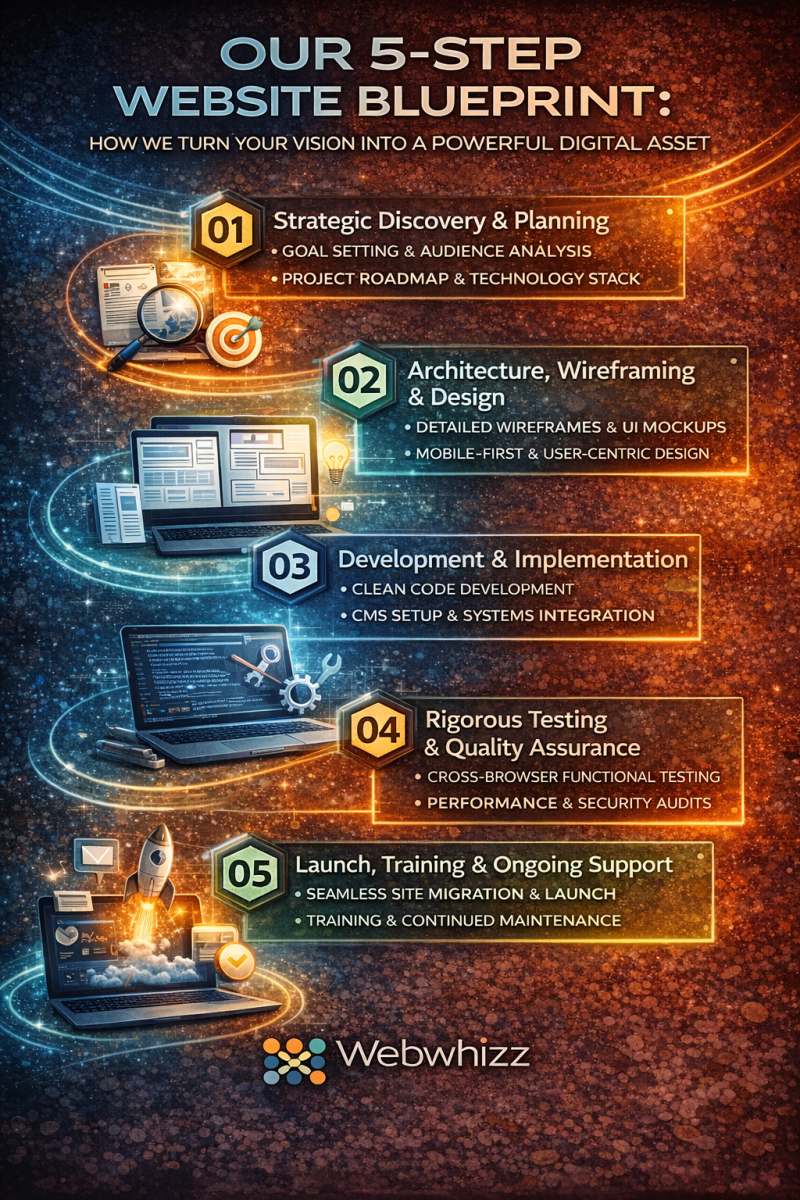
How We Build Websites The WebWhizz 5-Step Blueprint for Digital Success
Building a truly effective website—one that doesn't just look great but actually converts visitors into customers—is more than just writing code. It requires strategy, precision, and a partner who understands your business goals. At WebWhizz, we don't just build websites; we craft powerful digital assets designed for performance and growth. Our process is structured, transparent, and proven. We believe you should know exactly how your investment transforms from an idea into a fully functional, revenue-generating machine. This post will pull back the curtain and walk you through the essential 5-step process we use at WebWhizz to ensure every project, from simple portfolio sites to complex e-commerce platforms, launches successfully. The WebWhizz Difference: Our 5-Step Blueprint Our methodology is designed to eliminate guesswork and maximize efficiency. It moves systematically from deep strategic planning to flawless execution and deployment, ensuring the final product aligns perfectly with your objectives. Here is the blueprint we follow to deliver exceptional results for our clients: Step 1: Strategic Discovery & Planning (The Foundation) Every great structure requires an unshakeable foundation. Our Discovery Phase is dedicated to truly understanding your business, your audience, and your competitive landscape. This is the most crucial step, as it dictates all subsequent decisions. Goal Setting and Analysis We start with comprehensive consultations to define the "why" behind the project. Business Objectives: What is the primary function of this site? (e.g., Lead generation, direct sales, brand awareness). Target Audience Mapping: Who are we talking to? Understanding user demographics and pain points allows us to tailor the user experience (UX) and messaging. Competitor Review: Analyzing successful players in your industry helps us identify opportunities for differentiation. Technical Requirements and Scope Once the goals are clear, we define the technical roadmap, including required integrations, content migration plans, and the overall scope of work. We select the best technology stack to support your future growth. Ready to define your digital goals? Start the conversation by exploring our core services and consultation options on our WebWhizz Services page. Step 2: Architecture, Wireframing, and Design (The Blueprint) With a strategy in place, we move into the creative phase, focusing on how users will interact with your site (User Experience - UX) and how your brand will be visually represented (User Interface - UI). Information Architecture and Wireframing Before any colors or images are chosen, we structure the site. Wireframes are grayscale blueprints that map out content placement, navigation flow, and critical calls-to-action (CTAs). This ensures the user journey is logical and intuitive. Sitemap Creation: Defining the hierarchy of pages. User Flow Analysis: Mapping out the steps a user takes to complete a goal (e.g., booking a service or purchasing a product). Mobile-First Planning: Designing for the smallest screen size first, guaranteeing responsiveness across all devices. Visual Identity and Mockups This is where the site comes to life. Our designers apply your brand guidelines (or help create them) to develop visually stunning and engaging mockups. We focus on aesthetics that reflect professionalism and trustworthiness. Style Tiles: Defining typography, color palettes, and visual hierarchy. High-Fidelity Mockups: Presenting realistic, static images of the key pages for your review and approval. Step 3: Development & Implementation (The Build) This is the phase where strategy and design transform into functional code. Our developers prioritize clean, semantic, and efficient code that ensures scalability and speed. Clean Code and Technology Integration We utilize modern development practices, ensuring your site is robust and easy to maintain. Depending on your needs, this may involve utilizing powerful content management systems (CMS) like WordPress or specialized headless architectures. Responsive Coding: Implementing the design mockups so they look flawless on desktops, tablets, and phones. CMS Setup: Configuring a user-friendly backend that allows your team to easily manage and update content without needing a developer. Feature Integration: Connecting third-party tools, such as CRM platforms, payment gateways, and marketing automation software. Content Migration and Optimization While the coding happens, we integrate your prepared content (text, images, video). We also implement foundational Search Engine Optimization (SEO) elements directly into the code, including metadata, schema markup, and optimized URL structures. We pride ourselves on delivering robust, high-performing websites. Check out examples of our work in our WebWhizz Portfolio to see our development standards in action. Step 4: Rigorous Testing and Quality Assurance (The Checkpoint) Before anyone outside of WebWhizz sees the site, it undergoes intensive quality assurance (QA). We operate under the philosophy that a website must be flawless, fast, and accessible. Functional and Performance Testing We meticulously check every link, button, and form submission to ensure 100% functionality. Cross-Browser Compatibility: Testing the site on popular browsers (Chrome, Firefox, Safari, Edge) and operating systems. Load Speed Optimization: Ensuring lightning-fast load times, which is critical for both user retention and SEO performance. Security Audits: Reviewing the site for vulnerabilities and implementing necessary security hardening measures. Client Review and Refinement You are an integral part of this stage. We deploy the site to a private staging environment and invite you and your team to conduct a final review. We gather feedback, make necessary adjustments, and secure final sign-off. This collaborative step ensures the final product perfectly matches your expectations. Step 5: Launch, Training, and Ongoing Support (Go Live!) The finish line isn't the launch; it’s the successful operation of your digital platform years down the road. Seamless Deployment Launch day is managed with precision. We handle the secure migration of the site from the staging environment to your live domain (webwhizzservices.com). This process is executed during low-traffic periods to minimize any potential downtime. Final SEO Checks: Ensuring all redirects and search engine indexing settings are correct. Analytics Setup: Integrating Google Analytics, Search Console, and other tracking tools to monitor performance from minute one. Training and Post-Launch Partnership Once live, we provide comprehensive training tailored to your team. We ensure you are comfortable managing your CMS, updating content, and monitoring basic performance metrics. Our relationship doesn't end at launch. A website is a dynamic entity that requires care. We offer robust maintenance plans to keep your site fast, secure, and up-to-date, protecting your digital investment against security threats and technology shifts. Ensure your new website stays secure and optimized long after launch. Learn more about our comprehensive WebWhizz Maintenance and Support plans. Ready to Build Your Next Digital Asset? The journey from concept to live website can feel daunting, but with the organized, strategic, and tested 5-step process we follow at WebWhizz, we demystify the complex and deliver excellence. We treat every project as a partnership, ensuring that the final product is not just a beautiful design, but a powerful engine built to drive your business goals. Ready to bring your vision to life? Let's start with Step 1, Discovery. Contact WebWhizz today to schedule your initial consultation and begin building your digital success story.
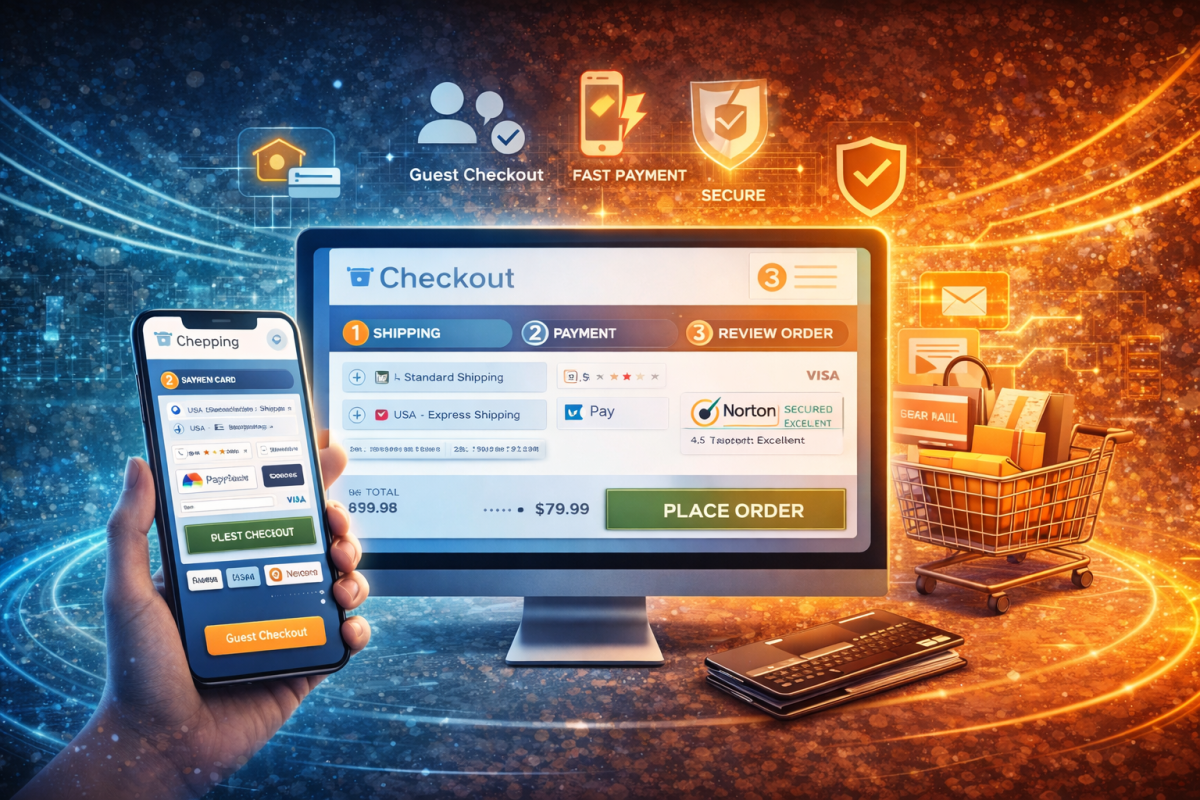
How to Reduce Cart Abandonment
The final hurdle in e-commerce isn’t attracting traffic—it’s convincing a buyer, who has already signaled intent by adding items to their cart, to hit that final "Purchase" button. If your conversion rates are suffering, you're not alone. The average e-commerce cart abandonment rate hovers chillingly close to 70%. That means for every 10 shoppers, seven are walking away, leaving billions in potential revenue stranded. The good news? Cart abandonment is rarely a product issue; it’s a process issue. It’s a signal that your checkout flow is introducing friction, frustration, or fear. As experts in optimizing digital pathways, we at Webwhizz specialize in diagnosing and fixing these points of failure. This comprehensive guide details the five critical UX tweaks we implement to turn hesitant browsers into loyal, high-value customers. Before diving into solutions, it’s essential to understand the primary drivers of abandonment. Shoppers are highly sensitive to surprises and complexity. The top reasons consumers abandon their carts are universally related to poor User Experience (UX): | Primary Reason for Abandonment | UX Solution Focus | | :--- | :--- | | High extra costs (shipping, taxes, fees) | Transparency | | Forced account creation | Simplicity & Speed | | Security concerns or lack of trust | Credibility & Trust Signals | | Checkout process is too long/complicated | Optimization & Efficiency | | Website loaded too slowly | Technical Performance | Webwhizz’s 5 UX Tweaks That Boost E-commerce Sales Our methodology focuses on minimizing friction and maximizing clarity, converting a clunky checkout process into a smooth, intuitive transaction. Tweak 1: Eliminate Sticker Shock – Be Transparent About Costs The number one reason for abandonment is unexpected costs popping up at the last minute. Surprise shipping fees and taxes are instant deal-breakers. Actionable UX Fixes: Show Costs Early: Use geo-location to estimate shipping costs directly on the Product Detail Page (PDP) or even on the Cart Summary page, long before the user reaches the final payment stage. Offer Shipping Thresholds: Clearly advertise your free shipping threshold (e.g., "Add $15 more to qualify for free shipping"). This incentivizes higher Average Order Value (AOV) while eliminating the cost objection. Calculate Taxes Immediately: If feasible, provide a tax estimate as soon as the shopper enters their state or zip code, ensuring the number they see in the cart summary is the number they pay. Tweak 2: Simplify the Funnel – Embrace Guest Checkout Asking a first-time shopper to commit to creating an account is asking too much. Account creation introduces cognitive load and perceived effort, leading many shoppers to simply exit the site. Actionable UX Fixes: Prioritize Guest Checkout: Make "Continue as Guest" the primary, most prominent button on your checkout page. Auto-Account Creation: Allow users to complete their purchase as a guest, but subtly offer the option to save their details for next time by simply setting a password after the purchase is finalized. This captures the customer data without interrupting the flow. Minimize Required Fields: Ruthlessly audit your checkout form. Do you truly need their fax number or birth date? Only collect essential information (name, address, payment details). If you can pre-fill information based on their payment method (e.g., Apple Pay or PayPal), utilize it. Tweak 3: Build Trust with Security and Credibility Shoppers handing over credit card information need absolute reassurance that their data is safe. A lack of visible security signals breeds fear and hesitation. Actionable UX Fixes: Prominent Trust Seals: Display recognizable security badges (like Norton, McAfee, or SSL certificates) near payment fields and in the footer. Clear Privacy Policy Linking: Ensure the link to your privacy policy is easily accessible in the checkout footer, proving you take data handling seriously. Customer Reviews Integration: If you utilize platform reviews (Trustpilot, Google Reviews), display a snapshot of your high rating near the checkout buttons. Social proof at this critical stage dramatically boosts confidence. Transparent Return Policies: Clearly state your generous and hassle-free return policy directly on the product and cart pages. Knowing they can easily return an item reduces purchase risk. Tweak 4: Optimize for Speed and Mobile Responsiveness The rise of mobile shopping means your checkout must be flawless on a small screen, and lightning fast. Every second of load time costs you conversions. Actionable UX Fixes: Mobile-First Design: Ensure input fields are large, buttons are thumb-friendly, and the entire page requires minimal zooming or scrolling. Utilize Digital Wallets: Integrate one-click payment options like Apple Pay, Google Pay, and PayPal. These methods bypass manual entry, speeding up the mobile checkout process dramatically. Optimize Images and Code: Focus on page speed metrics. Compress all images and minimize unnecessary third-party scripts that bloat the checkout page, ensuring your payment gateways load instantly. Single-Page vs. Multi-Step: While some sites prefer multi-step, if you use a single-page checkout, ensure it is horizontally organized and scrolls efficiently on mobile devices, providing clear progress indicators if it's long. Tweak 5: Master Cart Persistence and Recovery Abandonment is inevitable. The strategy is to recover those lost sales efficiently. Cart persistence ensures that when a shopper returns, their items are still waiting, and recovery leverages powerful targeted messaging. Actionable UX Fixes: Implement Persistent Carts: Use cookies or local storage so that items remain in the cart for days or even weeks, even if the user closes the browser. If the user logs in on a new device, the cart should sync instantly. Strategic Exit Intent Pop-Ups: If a user moves their mouse toward the browser close button, deploy a final, non-intrusive offer—perhaps a reminder of free shipping or a small discount—to incentivize the final purchase. Abandoned Cart Email Sequences: This is the highest ROI recovery tactic. Send a series of personalized emails: Email 1 (30 minutes - 1 hour): A simple reminder that the items are waiting. Email 2 (24 hours): A message highlighting the item's scarcity or key benefits. Email 3 (48-72 hours): A final, high-value incentive, such as a slight discount or free shipping code, if necessary. About Webwhizz Services At Webwhizz, we understand that great design is not just about aesthetics—it’s about results. We specialize in identifying the subtle UX friction points that cost e-commerce businesses thousands every month. Our services focus entirely on the crucial areas of conversion rate optimization (CRO) and user experience design, implementing the exact five tweaks detailed above, tailored to your specific market and audience. We are dedicated to building high-converting, robust digital experiences that prioritize your customer's journey from product discovery to successful checkout. Want to learn more about how we implement strategic UX improvements to boost your e-commerce sales? Check out our services and contact us today. Conclusion: Turning Frustration into Funds Cart abandonment is a solvable problem rooted in clarity, trust, and speed. By implementing these five strategic UX tweaks—embracing transparency, simplifying your forms, establishing credibility, optimizing for mobile, and deploying robust recovery strategies—you dramatically decrease friction and instantly boost conversions. Don’t let your hard-won traffic evaporate at the checkout. Start treating your cart like the valuable conversion tool it is, and watch your abandoned revenue return to your bottom line.

From Brick-and-Mortar to Digital Your Essential Guide to Moving Your Business Online
The modern marketplace is no longer defined by geography; it is defined by connectivity. If you run a successful brick-and-mortar business, you already know the value of high-quality products, excellent customer service, and strong local relationships. The challenge now is translating that tangible success into a thriving, scalable digital presence. Moving your business online is not just about having a website—it is about adopting a digital-first mindset, reaching new audiences, and leveraging technology to streamline operations. This comprehensive, step-by-step guide is designed to simplify that transition, helping you navigate the complexities of digital transformation and build a robust online foundation. The Imperative of Digital Transformation In the post-pandemic era, digital presence has shifted from being a competitive advantage to a necessary survival mechanism. Consumers demand convenience, speed, and accessibility—qualities only guaranteed by a strong digital footprint. By moving online, you unlock several critical benefits: Expanded Reach: Break free from geographical limitations and access national or global customer bases. 24/7 Availability: Your store or service is always open, maximizing sales opportunities. Data-Driven Decisions: Gain invaluable insight into customer behavior, purchasing patterns, and marketing effectiveness. Operational Efficiency: Automate tasks like inventory management, customer service, and payment processing. Phase I: Strategic Planning and Digital Audit Before laying the first digital brick, you must define your purpose and map out the landscape. Assessing Your Current Position Start by looking critically at your existing business model and how it translates digitally. Identify Core Offerings: Which products or services are most viable for online sales? Can services be digitized (e.g., consultations via video, digital product downloads)? Understand Your Digital Audience: Your in-store customer might differ from your online shopper. Use existing data or initial market research to create buyer personas that reflect your target online demographic. Define Your Goals (The 3 Cs): Conversion: What specific action do you want users to take (purchase, sign up for a service, book an appointment)? Competition: Analyze what successful digital competitors are doing well, and identify gaps you can fill. Capacity: Ensure your operations (fulfillment, shipping, logistics) can handle the increased volume of online orders. Phase II: Establishing Your Online Real Estate Your website is the heart of your digital business—it must be professional, intuitive, and highly functional. This is where strategic partnership becomes crucial. Choosing the Right Platform Selecting the right Content Management System (CMS) or e-commerce platform dictates your capabilities and scalability. E-commerce Focused: Platforms like Shopify or BigCommerce are ideal for businesses primarily selling physical products, offering built-in inventory, payment, and shipping tools. Service & Content Focused: Platforms like WordPress offer greater flexibility and customization for service providers, blogs, and complex business structures. Design, Functionality, and User Experience (UX) A beautiful site means nothing if it’s slow or difficult to navigate. Your digital storefront must prioritize the user experience. Mobile-First Design: Over 60% of web traffic is mobile. Your site must look and function flawlessly on all screen sizes. Intuitive Navigation: Customers must find what they need in three clicks or less. High-Quality Visuals: Invest in professional photography and video that accurately represents your products. At Webwhizz, we specialize in transforming complex business models into seamless digital experiences. We don’t just build websites; we craft bespoke, high-performance digital homes tailored specifically to your conversion goals, ensuring robust functionality whether you are selling 10 products or 10,000. A Note on Partnership: Meet Webwhizz Successfully navigating digital migration requires expertise across multiple fields: design, development, security, and marketing. Trying to manage all these moving parts internally can be costly and inefficient. Webwhizz is a full-stack digital solutions provider dedicated to helping businesses make the leap from physical to digital successfully. We act as your complete digital partner, offering services that span the entire online journey—from initial strategic consultation and bespoke web development to continuous optimization and digital marketing execution. Learn more about About Us at Webwhizz and how we tailor our services to your unique business needs. Phase III: Ensuring Visibility and Performance A stunning website hidden on page ten of Google is useless. Visibility is achieved through rigorous optimization. Search Engine Optimization (SEO) Fundamentals SEO is the process of optimizing your website so search engines like Google understand and rank your content. Keyword Research: Identify the terms your target audience uses to find your products or services. Incorporate these naturally into your product descriptions, landing pages, and blog content. Local SEO (Critical for Brick-and-Mortar): Claim and optimize your Google Business Profile (GBP). Ensure Name, Address, and Phone number (NAP) consistency across all online directories. Technical SEO: This includes site speed optimization, secure hosting (SSL certificate), and creating a clean site architecture that search engine bots can easily crawl. Security and Compliance Trust is paramount in the digital world. Data Protection: Implement strong security protocols, especially if handling customer payment information. Legal Compliance: Ensure adherence to global data privacy regulations (e.g., GDPR, CCPA) and clearly display your Privacy Policy and Terms of Service. Phase IV: Activating the Digital Sales Channel Once your platform is stable and optimized, the focus shifts to driving qualified traffic and facilitating transactions. E-commerce and Payment Integration If you are selling goods, you need a robust, reliable checkout system. Payment Gateways: Integrate trusted services like Stripe, PayPal, or specialized merchant accounts that offer secure and diverse payment options (credit cards, digital wallets). Shipping & Logistics: Clearly define shipping costs, return policies, and fulfillment timelines. Consider integrating shipping tools that automate label generation and tracking updates. Digital Marketing Launchpad You need a multi-channel strategy to replace the foot traffic you had downtown. Content Marketing: Create valuable blog posts, videos, or guides that position your business as an industry authority and drive organic traffic. Paid Advertising (PPC): Utilize Google Ads and social media advertising (Facebook/Instagram) to target specific demographics immediately and generate early sales. Email Marketing: Capture email addresses early. Email remains one of the highest ROI marketing channels for nurturing leads and promoting repeat business. Phase V: Iteration and Scaling The digital world is dynamic. A successful launch is merely the starting line for continuous improvement. Measurement and Analysis Leverage analytics tools (like Google Analytics) to track key performance indicators (KPIs): · Which pages convert the best? · Which marketing channels bring the highest value traffic? · Where are users abandoning the shopping cart? Use this data to inform iterative improvements to design, pricing, and marketing spend. Customer Service Digitalization Ensure your digital customer service matches the quality of your in-store experience. Implement: Live Chat Support: For instant answers to common questions. Comprehensive FAQ Section: Reduces support load. Ticketing Systems: For complex issues that require follow-up. Ready to Make the Leap? Transitioning your business from brick-and-mortar to digital is a significant undertaking, but it is the most critical investment you can make in your business’s future resilience and growth. It requires careful planning, technical precision, and continuous optimization. Don't navigate this complex journey alone. Webwhizz Services provides the expertise and full-stack support necessary to ensure your digital transformation is not just a successful launch, but a foundation for sustained online excellence. Visit us at webwhizzservice.com today to schedule a consultation and take the next step toward defining your robust digital future.
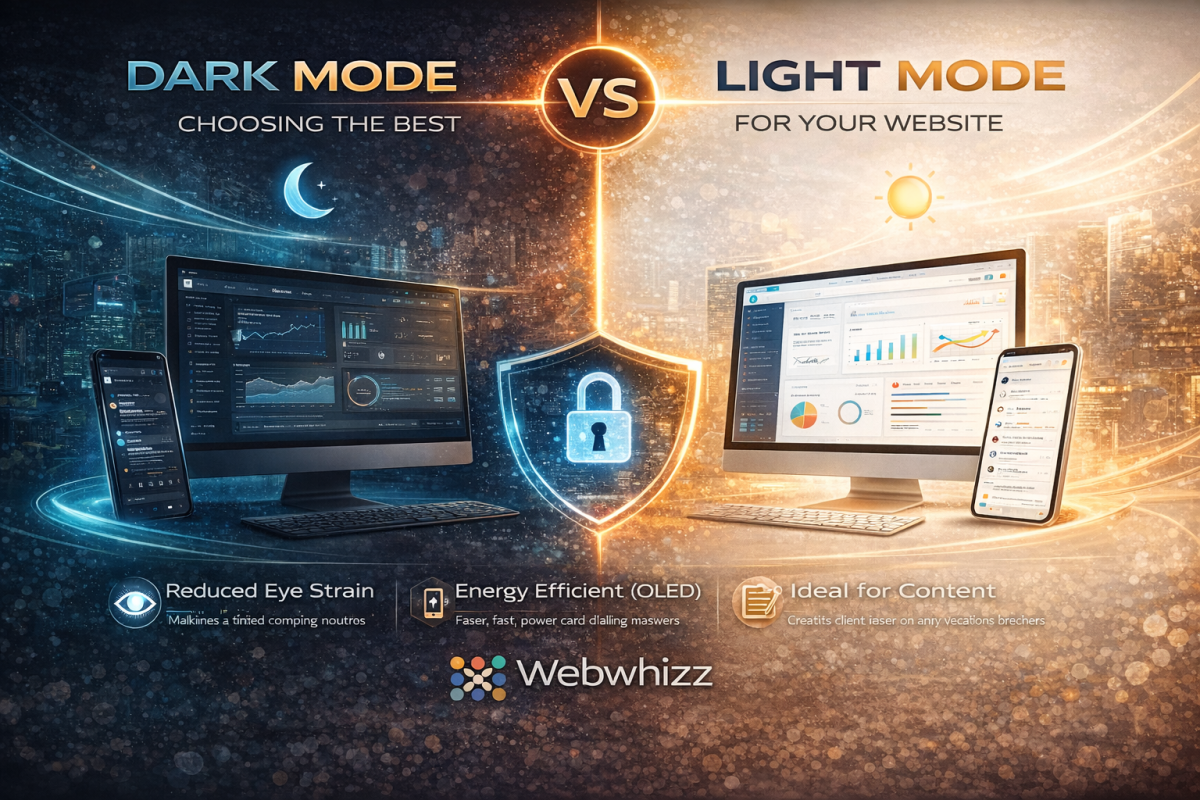
Dark Mode vs. Light Mode Optimizing Your Website for Peak User Experience
In the modern digital landscape, few debates spark as much conversation among users and designers alike as the choice between Dark Mode and Light Mode. It’s more than just a preference; it’s a critical decision that affects readability, accessibility, and overall User Experience (UX). As digital experience experts, we at Webwhizz understand that the perfect website balances aesthetics with function. This deep dive will explore the science, the pros, and the cons of both modes, helping you determine the ideal design strategy for your own website. The Science of Sight: How Our Eyes Process Contrast To understand the UX implications of color schemes, we must first look at how the human eye processes contrast. The core difference lies in how our pupils react to the display brightness: Light Mode (Dark Text on Light Background): The light background causes the pupil to constrict. This smaller opening, much like a camera aperture, results in a sharper, clearer focus. This is why standard print books have used black text on white paper for centuries—it generally maximizes text clarity and reading speed, especially in well-lit environments. Dark Mode (Light Text on Dark Background): The dark background causes the pupil to dilate (widen) to take in more light. While this reduces perceived glare and strain in low light, the wider pupil can sometimes introduce more minor refractive errors (known as the "halation effect" or "Müller-Lyer illusion"), causing light text to appear slightly blurry or glow against the dark background for some users, particularly those with astigmatism. Deep Dive into Light Mode (The Traditional Standard) Light Mode, with its traditional white or light-colored canvas, has been the default setting for most operating systems and websites since the dawn of computing. The Advantages of Light Mode Light Mode isn’t just tradition; it holds significant UX benefits, particularly for content-heavy sites: Optimal Readability in Daytime: In bright or well-lit environments, the high contrast provided by dark text on a light background minimizes eye strain and maximizes reading comprehension. Superior Long-Form Reading: Decades of cognitive research support the fact that most users process long passages of text slightly faster and more efficiently when reading dark-on-light. Print and Accessibility Standards: Light Mode adheres closely to the contrast ratios commonly expected in print media, which feels familiar and accessible to the vast majority of users. Vibrant Visuals: Light backgrounds often make colorful images, charts, and brand elements appear brighter and more vibrant. The Drawbacks of Light Mode Excessive Glare: In low-light environments (e.g., reading late at night), the bright white screen acts as a harsh light source, leading to significant eye strain and discomfort. Blue Light Exposure: High exposure to the blue light emitted by bright screens can interfere with natural sleep patterns (circadian rhythm). Deep Dive into Dark Mode (The Modern Trend) Dark Mode exploded in popularity over the last decade, transitioning from a specialized tool for developers and gamers into a mainstream feature on all major operating systems. It is often perceived as sleeker, more modern, and easier on the eyes. The Advantages of Dark Mode Reduced Eye Strain in Low Light: This is the primary benefit. By decreasing the overall luminance of the screen, Dark Mode drastically reduces glare and light emission in dark environments. Energy Efficiency (OLED/AMOLED): For devices utilizing OLED or AMOLED screens (many modern phones and tablets), displaying true black pixels means those pixels are completely turned off. This can lead to substantial battery savings. Aesthetic Appeal: Dark themes often lend themselves to sophisticated, dramatic, and immersive design aesthetics, making them popular for creative portfolios, video streaming, and entertainment sites. Focus Enhancement: By subduing the UI elements, Dark Mode can help the user focus intensely on content like images or videos that use bright, contrasting colors. Key Challenges in Dark Mode Implementation Implementing Dark Mode effectively requires careful design to avoid common pitfalls: The Halation Effect: As noted earlier, the glowing effect of light text on a dark background can cause fatigue or fuzziness for some users, particularly those with astigmatism. Poor Contrast Choices: A common mistake is using pure white text (#FFFFFF) on true black (#000000). This maximum contrast can actually be too harsh. Professional designs often rely on very dark gray backgrounds and off-white or light gray text to soften the transition and improve readability. Color Shift: Saturated colors (like bright reds or blues) that look great in Light Mode may appear overly aggressive or "vibrating" in Dark Mode, requiring a complete color palette adjustment for the alternate theme. The Ultimate UX Question: Which is Better for Your Website? The truth is, there is no single "best" choice. The optimal mode depends entirely on your target audience, the nature of your content, and the context in which your site is typically viewed. 1. Analyze Your Content and Audience | Website Type | Primary Recommendation | Rationale | | :--- | :--- | :--- | | Blogging/News/E-commerce | Light Mode (Default, with Dark Option) | Prioritizes fast readability and quick scanning of dense product information. | | Creative Portfolios/Film/Gaming | Dark Mode (Default, with Light Option) | Enhances visual storytelling, provides a cinematic feel, and minimizes distraction. | | Data Dashboards/Coding Platforms | Dark Mode (Strong Preference) | Reduces strain during long sessions and makes complex color-coded elements stand out clearly. | 2. Prioritize User Choice The gold standard in modern web design is dynamic theming. Instead of forcing a choice, empower your users: System Preference Matching: Automatically detect the user's operating system setting (Light or Dark) and default to that theme. Visible Toggle Switch: Provide a clear, accessible toggle switch (usually in the header or user profile settings) so the user can switch instantly without losing their place. How Webwhizz Makes the Choice Easy Implementing a dynamic, multi-themed website is technically complex. It requires not just flipping colors, but ensuring that all elements—from icons and logos to accessibility features and embedded widgets—maintain optimal contrast ratios in both environments. This is where the expertise of a professional web design team becomes essential. About Webwhizz At Webwhizz, we understand that a truly dynamic website is one that adapts to the user. We specialize in designing and developing modern, high-performance websites that prioritize accessibility, aesthetic appeal, and technical precision. We don't just build websites; we craft personalized digital experiences that adapt to evolving user preferences. When we design your site, we analyze your audience and content to advise you on the most effective default theme. Crucially, we then handle the meticulous process of developing a fully optimized, WCAG-compliant Dark Mode and Light Mode, ensuring seamless transitions and perfect contrast across all devices. Ready to offer your users the ultimate control over their digital experience? Learn more about our UX-focused design services at webwhizzservices.com. Conclusion: Designing for Flexibility The debate between Dark Mode and Light Mode is a reflection of shifting user expectations. Users no longer expect a static experience; they expect personalization. While Light Mode remains the gold standard for pure text readability and daylight use, Dark Mode offers substantial benefits for low-light environments, energy savings, and modern aesthetics. For optimal User Experience, the winning strategy is clear: Don't choose one. Provide both. By integrating both themes seamlessly into your design, you show your audience that you value their comfort, health, and personal preference—a hallmark of professional, high-quality web development.
![Case Study How We Helped [Industry Name] Increase Their Leads by 50%](uploads/blog_images/blog_6985095fe94b48.72927086.png)
Case Study How We Helped [Industry Name] Increase Their Leads by 50%
Turning Potential into Performance: A Webwhizz Lead Generation Success Story In today's hyper-competitive digital landscape, visibility is no longer enough—you need qualified, conversion-ready leads. Many companies excel at their core business but struggle to translate their expertise into measurable online growth. This was the exact challenge faced by our recent partner, a leading organization in the [Industry Name] sector. They had a strong brand reputation and robust services, but their digital footprint was failing to capture the right audience, resulting in stagnant lead flow. At Webwhizz, our mission is to fuse cutting-edge technology with strategic marketing to deliver tangible results. This case study details the comprehensive approach we took, which resulted in a massive 50% increase in qualified sales leads within six months. The Client and The Challenge Our client, a mid-to-large organization within the [Industry Name] sector, specialized in complex, high-value B2B solutions. Their average contract value was high, meaning they required highly qualified leads rather than simply high traffic volume. The Obstacles to Growth When Webwhizz first engaged the client, we conducted a thorough digital audit that revealed several critical bottlenecks hindering their lead generation efforts: Outdated Website Infrastructure: The existing website, while functional, suffered from poor mobile responsiveness and slow loading speeds, severely damaging user experience (UX) and SEO rankings. Low Organic Visibility: They were virtually absent from key high-intent searches. Their reliance on technical jargon meant their content wasn't structured for modern search algorithms, causing stagnation in organic traffic. Inefficient Conversion Funnel: There was a disconnect between traffic sources and dedicated landing pages. Calls-to-action (CTAs) were generic, and the lead nurturing sequence was non-existent. Untargeted Paid Spend: Their previous paid advertising campaigns (PPC) were broad, leading to high Cost Per Acquisition (CPA) and low conversion rates from paid sources. The strategic imperative was clear: We needed to revamp their digital presence from the foundation up, focusing intensely on technical performance and conversion optimization. Webwhizz’s Strategic Solution At Webwhizz (webwhizzservices.com), we believe sustainable growth requires synergy between design, technology, and marketing. Our strategy was structured into three core phases designed to maximize qualified lead volume while simultaneously reducing the cost of acquisition. Phase 1: Foundational Audit & Technical Overhaul (The Web Development Imperative) Our first step was stabilizing the technological foundation. We recognized that a powerful marketing strategy cannot succeed on a weak website platform. Reimagining the User Experience (UX/UI) We undertook a complete redesign of the client's public-facing website, focusing specifically on mobile-first indexing and speed optimization. · Key Action Items: Migrated the site to a high-performance hosting environment. Implemented a responsive, clutter-free design, reducing bounce rates by 18%. Restructured the information architecture (IA) to align with the customer journey, making key services easy to find and understand. Implemented exit-intent and contextual pop-ups optimized specifically for lead capture. Phase 2: Visibility & Authority Building (The SEO and Content Strategy) With the new site in place, our focus shifted to bringing high-quality, targeted traffic. This required a deep dive into Webwhizz’s SEO and content marketing expertise. Targeted Technical SEO Implementation We conducted extensive keyword research, identifying long-tail, high-intent phrases that their ideal customers were using but where competitors had low authority. · Key Action Items: Full technical SEO audit (schema markup, robots.txt, sitemaps). Optimized existing service pages with structured data specific to the [Industry Name] sector. Developed a content gap analysis to uncover topics essential for establishing thought leadership. Content Pillar Strategy We moved away from generic blog posts and created comprehensive content "Pillars" that addressed the complex needs and common pain points of their B2B clients. Each pillar included downloadable resources (eBooks, checklists) acting as valuable lead magnets. Phase 3: Conversion Optimization & Targeted Outreach (The Paid Media Funnel) Traffic without conversion is just noise. We refined the lead funnel to ensure that every visitor—whether organic or paid—was guided toward a measurable conversion goal. High-Converting Landing Pages We designed and A/B tested dedicated landing pages for each primary service offering. These pages were stripped of navigational distractions, featured crystal-clear value propositions, and were designed to capture specific information required for B2B qualification. Optimizing Paid Campaign ROI We overhauled the existing Google Ads and LinkedIn campaigns. Instead of casting a wide net, we employed hyper-segmentation based on job title, company size, and specific industry sub-niches. · Key Action Items: Introduced intent-based bidding strategies. Implemented detailed conversion tracking for form fills, phone calls, and demo requests. Developed highly personalized ad copy tailored to specific pain points identified in our initial audit. About Webwhizz: Our Approach to Digital Partnership We pride ourselves on being more than just a service provider; we are digital growth partners. Our collaborative approach ensures that our strategies are deeply integrated with our clients’ business objectives. About Us: At Webwhizz, located at webwhizzservices.com, we specialize in comprehensive digital solutions—from bespoke web development and enterprise-level SEO to advanced paid media management and conversion optimization. We focus on measurable outcomes that directly impact your bottom line. We handle the complexity of digital marketing so you can focus on running your business. Learn more about us and our services here. The Results: A 50% Surge in Qualified Leads Through the integrated efforts of our Web Development, SEO, and Paid Media teams, the client experienced dramatic and sustainable growth within the first six months. The strategy proved that focusing on quality over quantity was the key to unlocking significant revenue opportunities in the competitive [Industry Name] market. Key Performance Indicators (KPIs) Achieved: | Metric | Baseline (Pre-Webwhizz) | Results (6 Months Post-Implementation) | Change | | :--- | :--- | :--- | :--- | | Qualified Leads Generated | X (Baseline figure) | 1.5X | +50% | | Organic Traffic | Stable/Low | Significant Uptick | +72% | | Bounce Rate (Site Wide) | 58% | 40% | -18% | | Cost Per Acquisition (CPA) | High | Optimized | -35% | | Website Conversion Rate | 1.9% | 3.2% | +68% | Key Takeaways from the Success Technical Excellence is Non-Negotiable: The foundational work on site speed and mobile experience was crucial. A fast, stable site converts better, regardless of the marketing spend. Intent-Based Content Drives Quality: By targeting long-tail, high-intent keywords, we attracted users who were genuinely ready to engage, leading to a higher conversion rate on lead magnets. Integrated Strategy Wins: The 50% growth was not achieved by one tactic alone. It was the synchronized effort of a new website, targeted SEO, and highly optimized paid campaigns working together that delivered exponential returns. Ready to Write Your Own Success Story? This case study is a testament to the power of a cohesive digital marketing strategy powered by professional web development. If your organization in the [Industry Name] sector (or any other complex B2B market) is struggling with stagnant lead generation, you need a partner who can deliver both the technical build and the strategic insights necessary for growth. Are you ready to stop guessing and start growing? Connect with the experts at Webwhizz today. Let us conduct a free initial audit to uncover the untapped potential hiding in your current digital footprint and map out a clear path to achieve results like a 50% lead increase—or more. Get Your Free Consultation at webwhizzservices.com
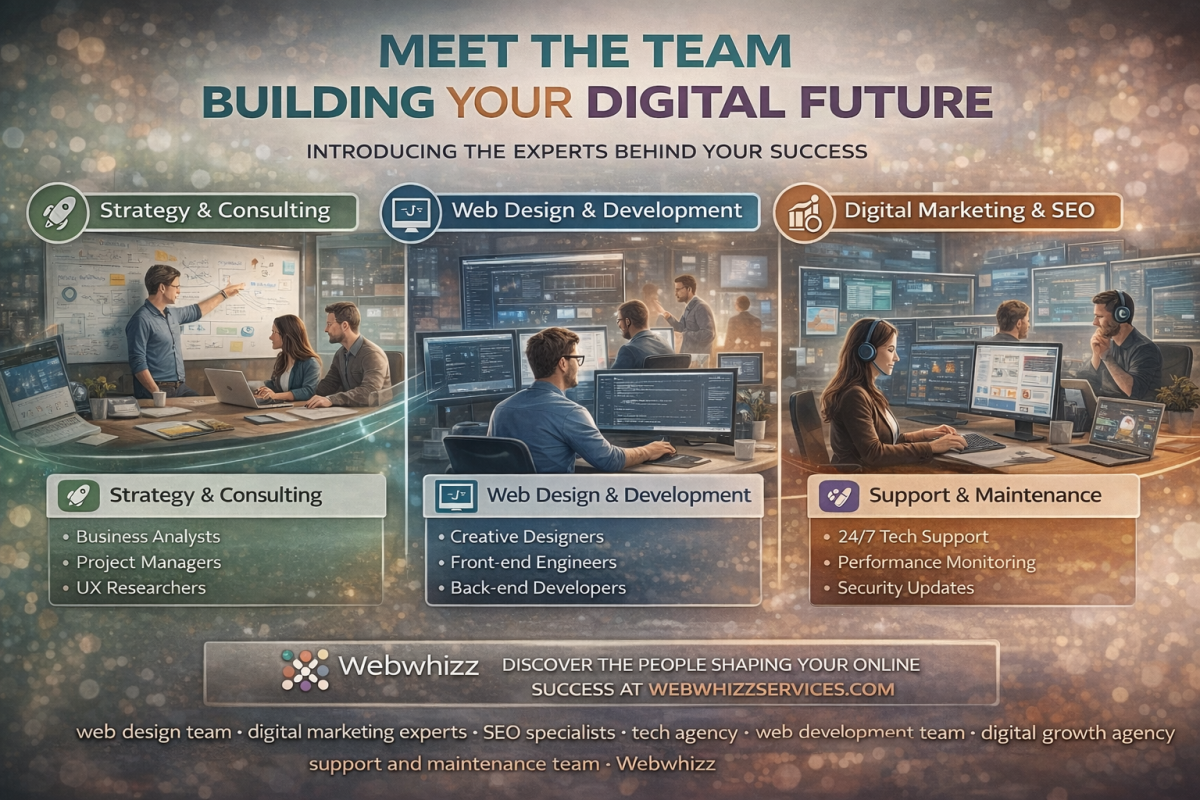
Behind the Scenes at WebWhizz
Unveiling the Architects of Your Digital Future In a world where technology moves at the speed of light, building a robust, engaging, and future-proof digital presence requires more than just code—it requires collaboration, strategic insight, and a team dedicated to excellence. We often talk about the successful websites we launch, the marketing campaigns we optimize, and the growth we generate for our partners. But who are the people making this magic happen? At WebWhizz, we believe in transparency, and today, we're opening the curtains to give you a true glimpse into the engine room. This isn't just about servers and software; it's about the brilliant minds, the innovative strategies, and the coffee-fueled commitment that defines our operations. Ready to meet the team building your digital future? Let’s step inside. Who is WebWhizz? Our Mission Defined Before we introduce the individual players, it’s important to understand the mission that unites us. WebWhizz is not just a digital agency; we are a dedicated partner committed to transforming your business goals into tangible digital results. We exist to simplify the complex world of web technology so you can focus on what you do best. Our philosophy is built on three pillars: Innovation: Always leveraging the latest tools and techniques. Clarity: Providing straightforward communication and predictable results. Partnership: Treating your business as if it were our own. To learn more about our foundational principles and values, please visit our About Us page. The Engine Room: Meet Our Core Teams A successful digital strategy is never the result of one person or one skill set. It is the synchronized effort of specialized experts working toward a unified vision. Our team structure at WebWhizz is designed for maximum efficiency and seamless project execution, covering everything from initial concept to ongoing optimization. The Visionaries: Strategy & Consulting Every great digital project starts with a roadmap. Our Strategy team doesn’t just ask what you want to build; they ask why you want to build it and who you need to reach. This team comprises Business Analysts, UX Researchers, and Project Managers who act as the central nervous system of every project. They translate complex business needs into actionable, technical specifications. Key Deliverables from the Strategy Team: Discovery Workshops: Deep dives into market fit and competitive analysis. User Experience (UX) Blueprinting: Mapping user journeys to ensure maximum conversion and satisfaction. Technology Stack Recommendations: Selecting the perfect framework (e.g., headless CMS, specific hosting environments) for scalability and performance. Defining Success Metrics: Ensuring we know exactly what results we are tracking before development begins. The Architects: Web Design & Development This is where ideas transform into reality. Our Design and Development teams work in lockstep, balancing aesthetic appeal with flawless functionality. We believe that truly great design is invisible—it guides the user effortlessly without being distracting. Design Excellence The Design team—the creative core—focuses on User Interface (UI) design, ensuring brand consistency and accessibility. They don’t just make things look good; they craft digital experiences that resonate emotionally with your target audience. Development Prowess Our developers are the engineers of the digital world. They specialize in both front-end (what the user sees) and back-end (the underlying structure and databases) development. They are fluent in modern languages like React, Vue.js, Python, and robust database management systems, ensuring your site is fast, secure, and ready to scale globally. Did You Know? The WebWhizz Development team operates on an Agile methodology. This means projects are broken into manageable 'sprints,' allowing for continuous testing, client feedback integration, and faster deployment cycles. The Growth Drivers: Digital Marketing & SEO Launching a stunning website is only half the battle. To truly build your digital future, you need visibility. Our Growth Drivers are experts in optimizing your presence to ensure you rank higher, engage better, and drive revenue. This team includes technical SEO specialists, content strategists, PPC managers, and social media experts. Their focus is maximizing your return on investment (ROI). How They Drive Results: Technical SEO Audits: Ensuring your site structure is optimized for search engine crawlers, fixing speed issues, and managing schema markup. Content Strategy: Developing content calendars and articles that address audience pain points and establish your authority. Paid Media Optimization: Managing targeted campaigns across Google Ads and social platforms to deliver high-quality leads efficiently. Analytics & Reporting: Providing clear, actionable data through tools like Google Analytics and Looker Studio so you always know where your investment is going. The Guardians: Support & Maintenance Our relationship doesn't end at launch. The digital world is constantly evolving, requiring continuous updates, security patches, and performance checks. Our Support team—The Guardians—ensures your platform remains operational, secure, and cutting-edge long after the initial build is complete. We offer dedicated service level agreements (SLAs) for proactive monitoring and rapid response to any issues, giving you complete peace of mind. Our Culture: Collaboration, Innovation, and Partnership The "behind the scenes" story of WebWhizz is rooted in our collaborative culture. We foster an environment where developers, designers, and strategists sit shoulder-to-shoulder (virtually and physically), promoting cross-functional learning and communication. Open Communication is Key We utilize advanced project management tools to ensure clients are never left in the dark. From daily stand-ups to weekly progress reports, we believe that clear, open communication minimizes risk and builds strong trust. You aren't just hiring a vendor; you are gaining a dedicated extension of your in-house team. Continuous Learning The digital industry demands perpetual growth. Every member of the WebWhizz team dedicates time to professional development, mastering new frameworks, understanding shifting SEO algorithms, and exploring emerging technologies like AI and machine learning integration. This commitment to continuous learning ensures that when you partner with webwhizzservices.com, you are receiving advice based on the most current industry standards. The WebWhizz Process: From Conversation to Conversion We follow a predictable, transparent process to ensure every project is delivered on time and on budget. Discovery & Strategy: We define the project scope, audience, and technical requirements. Design & Wireframing: Creating prototypes and mock-ups, iterating based on your feedback. Development Sprints: Building the platform in iterative phases, focusing on rapid deployment of key features. Quality Assurance (QA): Rigorous testing across various devices and browsers to ensure perfection. Launch & Deployment: Strategically planning the site launch with zero downtime. Optimization & Support: Post-launch monitoring, performance tuning, and ongoing security management. This structured approach ensures that the strategic vision outlined by our Visionaries flows smoothly through the hands of our Architects and is successfully amplified by our Growth Drivers. Building Your Future, Together We hope this glimpse behind the digital curtain has illuminated the passion, expertise, and precision that goes into every project at WebWhizz. We are a collective of specialized individuals, united by the goal of making your digital presence the most powerful asset in your business toolkit. When you partner with us, you are not just purchasing a service; you are investing in a dedicated team committed to achieving measurable success. Ready to leverage the power of the WebWhizz team for your next big digital initiative? Visit us today at webwhizzservices.com to start the conversation and meet the people who are ready to build your digital future.
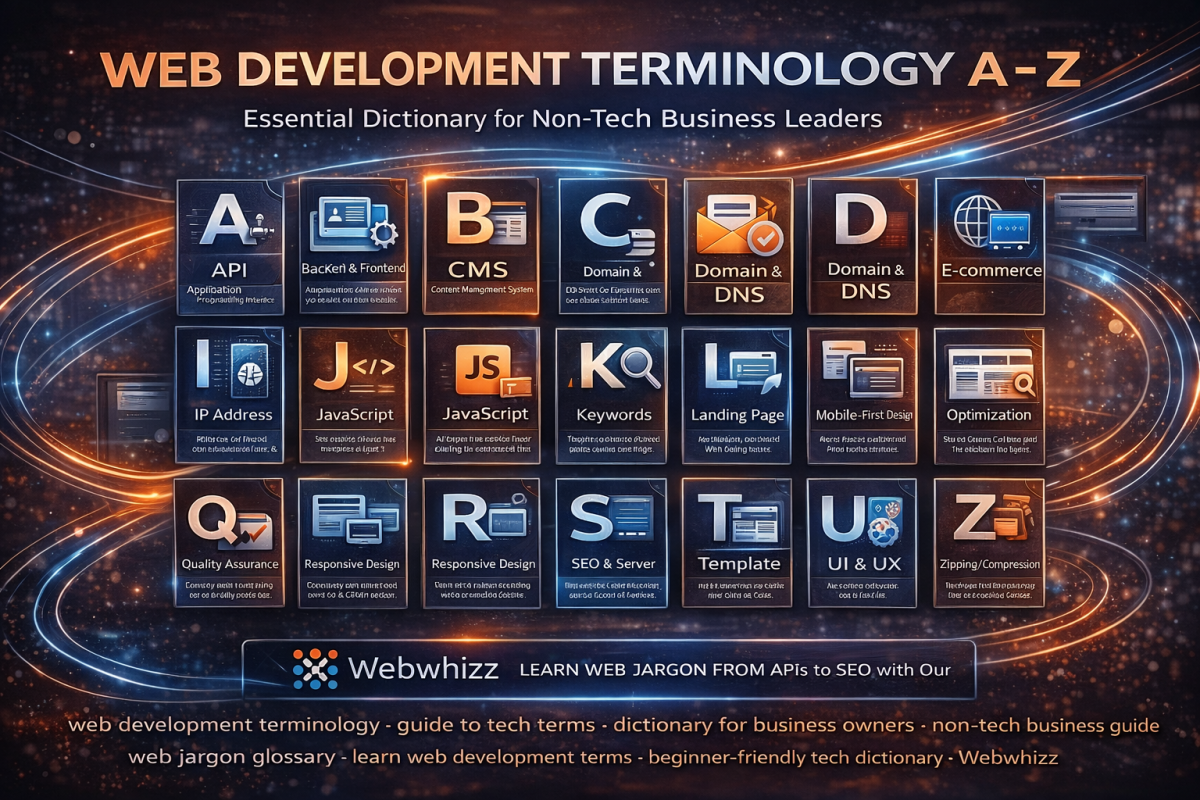
A-Z of Web Development Terms Decoding the Tech Talk for Business Owners
If you're a business owner navigating the waters of digital growth, you’ve probably sat through a meeting where developers sounded like they were speaking an entirely different language. Between APIs, CSS, and SSL, the tech jargon can feel overwhelming, making it difficult to understand exactly what you are paying for or what your website needs. At Webwhizz, we believe that clarity is the foundation of successful partnership. We don't just build exceptional digital experiences; we make sure you understand the 'how' and 'why' behind them. Our goal is to empower you with the knowledge needed to make informed decisions about your online presence. This comprehensive guide is designed specifically for you—the non-technical business leader—to demystify the essential web development terminology. Getting Started: Understanding the Basics We are committed to transparent communication. If you want to learn more about our philosophy and how we simplify the digital transformation process, please visit our About Us page. A to H: The Foundation and Framework A: API (Application Programming Interface) The Simple Definition: Think of an API as a digital waiter. It’s a set of rules that allows different applications to talk to each other securely and efficiently. Business Relevance: APIs allow your website to connect to external services, like payment processors (Stripe), email marketing tools (Mailchimp), or shipping calculators. B: Backend & Frontend The Simple Definition: Websites are built in two parts: Frontend (Client-Side): Everything the user sees and interacts with (layout, images, text, buttons). Backend (Server-Side): The hidden engine room. This is where data is stored, security is handled, and complex logic runs. C: CMS (Content Management System) The Simple Definition: A user-friendly application that allows you to manage, edit, and publish digital content on your website without writing code. · Examples: WordPress (our specialty!), Shopify, and Joomla. D: Domain Name & DNS Domain Name: Your website’s address on the internet (e.g., webwhizzservices.com) DNS (Domain Name System): The internet’s phonebook. When you type in a domain name, DNS translates that name into an IP address so your browser knows where to find the website files. E: E-commerce The Simple Definition: The buying and selling of goods or services using the internet. Key Platforms: WooCommerce (for WordPress sites) and Shopify are common e-commerce solutions we implement for clients. F: Framework The Simple Definition: A pre-built structure of standardized code and tools that developers use to build applications faster and more reliably. It provides the 'skeleton' so developers don't have to start from scratch every time. G: GDPR & General Compliance The Simple Definition: While not strictly development terms, compliance terms are crucial for modern web projects. GDPR (General Data Protection Regulation) is a set of rules governing how businesses must protect the personal data of EU residents. Business Relevance: Failure to adhere to global data privacy laws can result in massive fines. Your web project must be built with compliance in mind. H: Hosting & HTTPS Hosting: The service that provides the physical storage space on a server for all the files and data that make up your website. If the domain is the address, hosting is the land the house sits on. HTTPS (Hypertext Transfer Protocol Secure): The secure version of the standard communication protocol. The "S" means all data transferred between the browser and the server is encrypted. Look for the padlock icon in the browser bar—it signals trust and security. I to P: Interactivity and Performance I: IP Address (Internet Protocol Address) The Simple Definition: A unique numerical label assigned to every device connected to a computer network that uses the Internet Protocol for communication. Think of it as: The physical coordinates of a device on the internet. DNS translates human-readable domain names into these IP addresses. J: JavaScript (JS) The Simple Definition: The primary programming language that makes web pages interactive. Function: JavaScript handles everything that moves or changes on a website after the page loads, such as animations, complex forms, and interactive maps. K: Keywords The Simple Definition: The words and phrases that people type into search engines (like Google) to find information, products, or services. Business Relevance: Identifying relevant keywords is foundational to SEO (see S) and is crucial for attracting the right audience to your webwhizzservices.com site. L: Landing Page The Simple Definition: A standalone web page, separate from the main website, created specifically for a marketing or advertising campaign. Goal: To convert visitors into leads or customers by prompting a single action (e.g., signing up for a newsletter or making a purchase). M: Mobile-First Design The Simple Definition: The process of designing and building a website starting with the smallest screen (mobile phones) and then scaling up the design for tablets and desktop computers. Why it Matters: Google prioritizes mobile responsiveness. Since the majority of web traffic is now mobile, this approach ensures excellent user experience across all devices. N: Navigation The Simple Definition: The system of links, menus, and buttons that allow users to move around and find information on your website. Key Consideration: Good navigation should be intuitive, clear, and consistent—a key element we focus on during our Webwhizz design process. O: Optimization The Simple Definition: The process of improving the performance, speed, and efficiency of a website. · Examples: Image compression, code cleanup, and caching strategies all fall under optimization. A faster site means happier users and better search rankings. P: Plugin (or Extension) The Simple Definition: A piece of software containing a group of functions that can be added to a CMS (like WordPress) to enhance its functionality. · Examples: Adding a contact form builder, security scanning, or advanced SEO tools via plugins. Q to Z: Quality, Search, and User Experience R: Responsive Design The Simple Definition: A design approach that makes websites render well on a variety of devices and screen sizes. Distinction: While Mobile-First is a strategy, Responsive Design is the technique used to achieve smooth viewing across all screen sizes. S: SEO (Search Engine Optimization) & Server SEO: The practice of increasing the quantity and quality of traffic to your website through organic (non-paid) search engine results. This involves ensuring your content is structured and written in a way that Google can easily understand. Server: A powerful computer that stores your website files and delivers them to users when requested. T: Template (or Theme) The Simple Definition: A pre-designed layout or structure for a website. Themes control the overall look and feel, colors, and typography. Usage: Templates speed up the initial design process, allowing Webwhizz developers to focus customization on unique functionality and branding. U: UI & UX UI (User Interface): What the user sees. This includes the visual elements like colors, typography, buttons, and layouts. UX (User Experience): How the user feels when interacting with the site. Is it easy to navigate? Is the checkout process smooth? Good UX means a valuable, seamless experience. V: Version Control The Simple Definition: A system that records changes to a file or set of files over time so that you can recall specific versions later. Why it Matters: This is crucial for development stability. It means we can track every code change and, if something breaks, instantly revert to a previous, working version. W: Wireframe The Simple Definition: A basic, schematic blueprint or skeleton of a website page. It focuses purely on layout, key elements, and content hierarchy, ignoring colors and graphics. Purpose: Wireframing ensures that the functionality and user flow are agreed upon before the expensive design phase begins. X: XML (Extensible Markup Language) The Simple Definition: A markup language designed to store and transport data. Business Relevance: You often encounter XML when dealing with sitemaps (a file listing all the important pages on your site for search engines) or data feeds exchanged between systems. Y: YAML (YAML Ain't Markup Language) The Simple Definition: A data serialization standard that is extremely human-readable. Development Context: While complex, YAML is often used in configuration files (telling the server how specific software should run) because of its simplicity and clarity compared to older formats. Z: Zipping/Compression The Simple Definition: The process of reducing the size of files (like images, code files, or data backups) to save storage space and speed up transfer times. Performance Impact: Compressing website assets significantly reduces load times, improving overall site performance. Conclusion: Let Webwhizz Translate for You Navigating the technical landscape of web development shouldn't be a source of stress. Whether you need a lightning-fast e-commerce solution, a robust WordPress website, or a custom application, understanding the jargon is the first step toward effective collaboration. At Webwhizz (webwhizzservices.com), we bridge the gap between complex code and successful business outcomes. We handle the APIs and the CSS so you can focus on your customers and your core business strategy. Ready to build a website that speaks your business language? Contact Webwhizz today and let's turn your digital confusion into digital clarity.
Accessibility-First Design Why Making Your Site Usable for Everyone is Now a Legal and SEO Requirement
Welcome to the digital age, where every website is a front door to your business. But what happens when that door is locked for millions of potential customers? For too long, website accessibility—the practice of ensuring people with disabilities can perceive, understand, navigate, and interact with the web—was treated as a feature to be added later, or worse, an afterthought. That era is over. At WebWhizz, we believe that Accessibility-First Design is not merely a moral obligation; it is a critical component of modern web development, directly impacting your legal exposure, brand reputation, and most importantly, your search engine visibility. If your goal is sustainable digital growth, making your site usable for everyone is now essential. Beyond Ethics: Why Accessibility is a Hard Requirement When we talk about accessibility (often abbreviated as A11y), we are talking about ensuring that people with visual, auditory, cognitive, and motor impairments can successfully use your platform. While the ethical case for inclusion is clear, the pressing reality for business owners involves two primary, high-stakes factors: legal compliance and market performance. The Legal Hammer: Understanding Digital Compliance In many jurisdictions, websites and digital services are treated as "places of public accommodation." This means they must comply with existing disability laws. The most prominent example in the United States is the Americans with Disabilities Act (ADA). While the ADA was written before the internet explosion, courts are increasingly applying its provisions (specifically Title III) to websites and mobile applications. The practical standard courts rely on for determining digital compliance is the Web Content Accessibility Guidelines (WCAG), developed by the World Wide Web Consortium (W3C). | WCAG Principle | What it Means for Your Site | | :--- | :--- | | Perceivable | Users must be able to recognize the content (e.g., proper contrast, alternative text for images). | | Operable | Users must be able to interact with all controls (e.g., full keyboard navigation). | | Understandable | Content and navigation must be predictable and clear. | | Robust | The site must work across different technologies, including various browsers and screen readers. | The Risk of Non-Compliance Ignoring these standards is a high-stakes gamble. Litigation regarding inaccessible websites has skyrocketed, leading to demand letters, costly settlements, and mandatory remediation—often resulting in a complete site overhaul under strict deadlines. To mitigate this severe risk, proactive auditing is essential. At WebWhizz, we specialize in comprehensive WCAG 2.1 and 2.2 Level AA compliance audits as part of our core digital consulting services, ensuring your site is legally sound before the courtroom calls. The SEO Superpower: Accessibility as a Ranking Factor While lawsuits drive reactive change, smart business owners realize that accessibility is one of the most powerful, yet overlooked, SEO strategies available. Google's primary goal is to provide the best possible experience for every user. When you build a site that is fully accessible, you are inherently building a site that is also easily readable and indexable by search engine bots. How Google Rewards Usability and Semantic HTML Many accessibility requirements align perfectly with Google’s Core Web Vitals and other ranking signals. When you optimize for A11y, you are optimizing for SEO. Key A11y Features That Boost SEO: Semantic HTML: Screen readers rely on clear, semantic markup (e.g., using <h1>, <h2> for headings, <button> for buttons). Google's crawlers use this same structure to understand your content hierarchy and relevance. Proper semantic structure provides superior indexing compared to generic <div> tags. Alt Text and Image Descriptions: Providing descriptive alternative text for images (a critical component for visually impaired users) ensures that Google understands the context of your media, improving image search rankings and overall topical authority. Keyboard Navigation: A fully accessible site must be navigable using only the keyboard (essential for motor impairments). This necessity often leads developers to clean up messy code, resulting in better technical performance and faster load times—a major ranking boost. Clean Code and Performance: Building "accessibility-first" requires developers to focus on lean, well-structured codebases. This emphasis on technical excellence results in better site speed and stability, which Google heavily rewards. By focusing on accessibility, you are fundamentally improving the machine-readability of your content. You are building a stronger, faster, and more trusted digital experience—precisely what search algorithms are designed to favor. Implementing Accessibility-First: The WebWhizz Approach Transitioning to an accessibility-first methodology requires shifting how your team thinks about design and development. It's not a patch you apply at launch; it’s the foundational layer of the build. At WebWhizz Services, our accessibility integration covers everything from initial wireframes to final code deployment. Practical Steps to Achieve WCAG Conformity Whether you are building a new platform or remediating an existing one, these steps are crucial: 1. Audit and Strategy Before any major changes, you need a clear picture of your current state. Our WebWhizz Digital Auditing process includes both automated scanning and expert manual reviews to identify compliance gaps quickly. We provide a prioritized roadmap for remediation. Key Focus: Identifying contrast issues, keyboard traps, and ambiguous link texts. 2. Design and User Experience (UX) Accessibility starts with the visual design. Color Contrast: Ensuring text and background colors meet WCAG contrast ratios (Level AA). This is non-negotiable for low-vision users and also improves readability for everyone. Clear Focus Indicators: Providing highly visible outlines when a user tabs through the site, making it clear where they are on the page. Intuitive Hierarchy: Designing clear heading structures and consistent navigation patterns. 3. Development and Code Integrity The most critical step involves the code itself, which is where our specialized WebWhizz Development Services shine. We ensure that every element is semantic and robust. Keyboard Accessibility: Ensuring all interactive elements (menus, forms, sliders) are fully operable without a mouse. ARIA Attributes: Utilizing Accessible Rich Internet Applications (ARIA) roles and attributes where native HTML is insufficient (e.g., complex widgets like modals or tab sets) to properly communicate state and function to screen readers. Form Labeling: Every input field must have an explicit, associated label, ensuring assistive technology users can complete forms reliably. The ROI of Inclusive Design The argument for accessibility boils down to clear return on investment (ROI). By neglecting accessibility, you are effectively choosing to exclude approximately 15% of the global population from interacting with your site. That exclusion translates directly into lost market share. Increased Market Reach: Accessing the disability community and their buying power. Lower Legal Risk: Avoiding costly litigation and settlements. Superior SEO: Leveraging compliance features into high-ranking search visibility. Brand Reputation: Demonstrating commitment to corporate responsibility and inclusion. Conclusion: Build Better, Not Just Faster Accessibility-First Design is the future of the web. It is the framework that guarantees your digital assets are resilient against legal challenges and optimized for the constantly evolving requirements of search engines. It’s time to stop treating accessibility as a checklist item and start treating it as the foundation of your digital strategy. Ready to build a robust, legally compliant, and high-ranking website? Contact WebWhizz Services today for a full accessibility audit and a customized remediation plan tailored to drive your digital growth.
7 Signs Your Business Website Needs a 2026 Redesign
In the rapidly evolving digital landscape, your website is not just a digital brochure—it is your most crucial sales tool, customer service portal, and brand ambassador. If it’s struggling to keep up, your business is struggling to grow. While many business owners view a website redesign as a daunting expense, we view it as an essential investment in future profitability. By 2026, user expectations for speed, functionality, and aesthetic quality will be higher than ever. Staying stagnant is no longer an option; it’s a competitive liability. Here at Webwhizz, we specialize in transforming outdated digital platforms into high-performing conversion machines. We understand the warning signs of a failing website, and we want to help you spot them before they seriously damage your bottom line. If you’ve been ignoring that nagging feeling, it’s time to listen up. The Cost of Digital Stagnation Before diving into the seven signs, it’s important to understand the high stakes. A slow, non-responsive, or ugly website doesn’t just frustrate users; it directly impacts your revenue. Google penalizes slow sites, mobile users leave immediately, and outdated aesthetics erode trust faster than you can say “buy now.” A proactive redesign prepares you for success over the next five years, ensuring you meet modern SEO standards, capture mobile traffic, and deliver a user experience that converts visitors into loyal customers. The 7 Undeniable Signs It’s Time for a Redesign These signs often manifest subtly in analytics before turning into major issues. Pay close attention to these indicators if you want your business to thrive in 2026 and beyond. 1. Your Load Speeds Are Driving Customers Away (The 3-Second Rule) In the age of instant gratification, waiting even a few extra seconds for a page to load is unacceptable. Google has repeatedly stated that speed is critical for ranking and user experience (UX). If your pages are stuffed with unoptimized images, bloated code, or relying on outdated hosting, your performance suffers drastically. Red Flags Signaling Performance Failure: Poor Core Web Vitals Scores: Tools like Google PageSpeed Insights report low scores (often in the red) on metrics like Largest Contentful Paint (LCP) and First Input Delay (FID). These metrics directly impact SEO ranking. Time to Interactive is High: Your site might look loaded, but users can’t click on anything for several additional seconds. High Bounce Rate Correlates to Load Time: Analytics show a significant drop-off (high bounce rate) for visitors who spend more than three seconds waiting for the page to render. 2. Mobile Users Are Forced to Pinch and Zoom This is perhaps the clearest indicator of an antiquated website design. Modern websites must be "responsive," meaning they automatically adjust their layout, navigation, and images to perfectly fit any screen size—from a 27-inch monitor to a small smartphone. If your site requires visitors to awkwardly zoom in just to read text, navigate menus, or click a small button, you are actively losing mobile conversions. Did You Know? Over 60% of all global website traffic now originates from mobile devices. If your mobile experience is subpar, you are ignoring the majority of your potential audience. 3. Your Aesthetics Feel Stuck in the Last Decade Design trends evolve rapidly, and what looked sharp in 2018 now looks definitively dated. While aesthetics might seem secondary to functionality, they are crucial for building immediate trust and authority. Visitors judge your company’s professionalism and relevance based on your design within seconds. A site featuring heavy drop shadows, clunky stock photos, overly busy layouts, or unusual font choices immediately signals that your business might also be behind the times. A modern design embraces clean lines, ample white space, high-quality media, and intuitive visual hierarchies. 4. Your Site’s Navigation is Confusing and Overly Deep When a visitor lands on your website, they should be able to find the answer to their core question or the product they seek within three clicks. If your navigation is disorganized, if important calls-to-action (CTAs) are hidden, or if the user journey is complicated, they will leave. Conversion Blockers to Look Out For: Invisible CTAs: Are your "Contact Us" or "Request a Quote" buttons easy to see and clearly labeled? If they blend into the background, they aren't working. Too Many Menus: Confusing mega-menus that try to list everything at once overwhelm users. Internal Search Failure: If your internal search bar regularly returns irrelevant results, users quickly give up the search entirely. 5. Managing Content Has Become a Code Nightmare If every simple task—like changing a headline, updating a photo, or adding a new blog post—requires you to dive into complex code or call a developer for minor fixes, your website platform is inefficient. Modern Content Management Systems (CMS) are designed for ease of use. A redesign often includes migrating your site to a flexible, user-friendly platform (like WordPress or specialized headless CMS solutions) that empowers your internal team to manage content efficiently without relying on costly external support for daily updates. 6. You’re Embarrassed to Share Your Website URL This sign is purely emotional, but perhaps the most telling. If you actively hesitate to put your website address on your business cards, marketing materials, or proposal documents, you already know there's a problem. Your website should be a source of professional pride and a powerful conversion tool. If it’s currently a liability—something you feel obligated to apologize for—it is actively damaging your brand reputation and perceived authority in your industry. 7. It Relies on Deprecated or Unsupported Technology Behind the design, the technology powering your site might be obsolete. Using outdated frameworks, ancient PHP versions, or reliance on discontinued plugins poses serious security and functionality risks. These deprecated technologies are vulnerable to hacking and often conflict with modern browser standards. A redesign ensures your foundation is built on secure, scalable, and well-supported technology that can handle future growth and the ever-changing demands of the web. Ready to Whizz Past the Competition? Recognizing these seven signs is the first step toward reclaiming your digital presence. The next step is partnering with experts who can execute a seamless, results-driven redesign focused on measurable growth. About Webwhizz Here at Webwhizz, we don't just update your look; we engineer digital performance. Our team of designers, developers, and speed optimization specialists focus specifically on the issues that kill conversions: slow speeds, broken mobile layouts, and outdated user experience. If your website is suffering from the symptoms listed above, the 2026 redesign window is now. We provide comprehensive services tailored to: Lightning-Fast Speed Optimization: We analyze Core Web Vitals and optimize the underlying code and assets to ensure sub-three-second load times. Flawless Responsive Design: Guaranteed seamless performance and visual appeal across every device. Modern, Conversion-Focused Aesthetics: Delivering clean, trustworthy, and intuitive designs that elevate your brand authority. We pride ourselves on turning website liabilities into powerful assets. Learn more about our approach and see how we can transform your digital presence by visiting our website: webwhizzservices Don't Delay Your Digital Future The website you have today dictates the success you can achieve tomorrow. Waiting another year to address glaring issues with speed, responsiveness, or design is effectively giving your competition a significant head start. Don't let your business get caught in digital dust. If you identified with even three of the seven signs above, it’s time to stop mitigating risks and start maximizing opportunities. Contact Webwhizz today. Let’s build a fast, beautiful, and functional website ready to tackle the demands of 2026 and beyond.